iGram is an Instagram downloader for public accounts. Paste a link to a Reel, video, photo, carousel or Story, press Download and save the file. No login needed.
- Content
- Reels, videos, photos, carousels, Stories, IGTV
- Accounts
- Public only
- Login
- Not required
- Formats
- MP4 for video, JPG for photos
- Price
- Free, with no download limit. HD and 4K come with Premium
- Devices
- Any browser on iPhone, Android, Windows or Mac
What you can download from Instagram
The field above takes links to six kinds of public content. The table shows where each link lives and which file you get back.
What the Instagram post downloader saves, by content type
| Content type |
Where to copy the link |
What you get |
| Reels |
Share under the Reel, then Copy link |
MP4 video with sound |
| Video posts |
Share on the post, then Copy link |
MP4 video with sound |
| Photos |
Share on the post, then Copy link |
JPG image |
| Carousel posts |
Share on the post, then Copy link |
Each photo (JPG) and video (MP4) of the album |
| Stories |
Share inside the Story, or the profile link |
MP4 or JPG while the Story is live, Highlights included |
| IGTV videos |
Share on the video, then Copy link |
MP4 video of any length |
-
Reels
Short vertical videos with music or a voiceover. iGram saves a Reel as an MP4 file and keeps its original sound.
Instagram Reels downloader
-
Videos
A feed video saves as MP4 with sound. Video quality and saving to the iPhone camera roll have their own page.
Instagram video downloader
-

Photos
Single photos save as JPG at the size Instagram stores them, usually up to 1080 × 1350 pixels.
Instagram photo downloader
-

Carousel posts
One album can hold up to 20 photos and videos. iGram lists each of them after you paste the link, and you save the ones you need.
Download a carousel post
-

Stories
A Story disappears 24 hours after posting, so download Instagram Stories while they are still up. Highlights, the Stories a creator pins to the profile, open by the profile link: download Instagram highlights.
Instagram Story saver
-
IGTV videos
Long videos from IGTV and the Video tab download in full. There is no length limit, only a longer wait on a slow connection.
IGTV downloader
How to download from Instagram
iGram is an Instagram link downloader: it needs only the address of the post. Copy it in Instagram and paste it here to download Instagram posts, Reels and Stories.
-
1
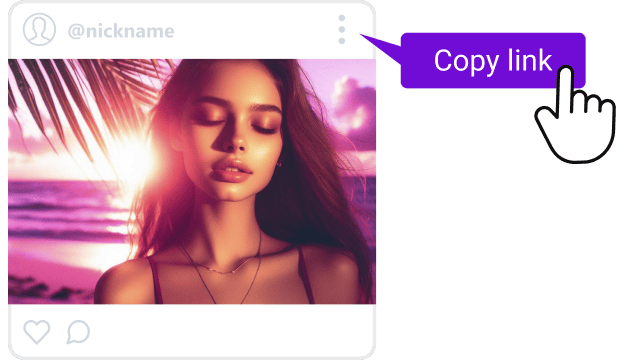
Copy the link
Open the post in Instagram, tap Share (the paper plane icon) and choose Copy link. On a computer, copy the address from the browser bar.
-
2
Paste it into iGram
Come back to this page, paste the link into the field at the top and press Download.
-

3
Save the file
iGram shows the files it found in the post. Press Download under the one you want, and it saves to your device.
A link to a whole profile works as well, not only a link to a single post.
Where to copy the link and find the file
Every Instagram download goes through the same three steps. Devices differ in two places: the menu that holds Copy link and the folder where the file ends up.
On iPhone and iPad
In the Instagram app, tap Share and then Copy link. Open iGram in Safari and paste the link to download Instagram Reels, photos or Stories straight to the phone.
Safari puts the file into the Files app, in the Downloads folder. Moving it to Photos takes four taps, shown step by step on the video downloader page.
On Android
Copy the link the same way, then open iGram in Chrome or any other browser. Files land in the Downloads folder and show up in the Gallery app a few seconds later.
If you save posts every day, the iGram app for Android does the same job without a browser.
On Windows and Mac
Copy the post address from the browser bar, or use Share and Copy link on instagram.com. The browser saves the file to its Downloads folder, next to everything else you download.
What iGram can't download
When a link returns nothing, the post usually falls into one of these cases.
- Private accounts. iGram reads only what anyone can open without logging in. Posts from a closed profile stay closed, even if you follow it.
- Deleted posts and expired Stories. Once a post is removed or a Story passes its 24 hours, there is nothing left to save.
- HD and 4K on the free plan. Free downloads come in lower quality. HD, up to 4K when the creator uploaded it, is part of Premium, and no plan makes a file sharper than the original.
Online downloader, app or browser extension
For a one-off save on an iPhone, an Instagram downloader online is the shortest route, since nothing needs installing. People who save from Android every day get more out of the app. Instagram's own Download button handles a single case: a public Reel whose creator left downloads on.
iGram online, the iGram app, Instagram's Download button and other ways to save posts
|
iGram online |
iGram app for Android |
Instagram app |
Browser extensions |
Screen recording |
| What it saves |
Reels, videos, photos, carousels, Stories, IGTV |
Photos, videos, Reels, IGTV |
Public Reels only |
Depends on the add-on |
Whatever plays on screen |
| Install needed |
No |
Yes, an APK file |
No |
Yes |
No |
| Works on iPhone |
Yes, in Safari |
No |
Yes |
Some, as Safari extensions |
Yes |
| Instagram login |
Not needed |
Not needed |
Required |
Depends on the add-on |
Not needed for public posts |
| Watermark |
None added |
None added |
Instagram logo and the creator's username |
Depends on the add-on |
None, but menus may end up in the frame |
| Sound |
Original audio track |
Original audio track |
Missing on Reels with licensed music |
Depends on the add-on |
Yes, if the phone records it |
| HD and 4K |
With Premium |
With Premium |
Not stated by Instagram |
Depends on the add-on |
No, the picture is re-recorded |
Creators can turn off downloads of their Reels for the whole account or for a single Reel, and then Instagram's button disappears. Whichever way you pick, a trustworthy service never asks for your Instagram password.
Free and Premium: what you get
Downloading is free, with no cap on the number of files. Premium adds full quality and a few extra tools on plans for 1, 6 or 12 months, and the longer plans cost at least a third less per month than the monthly one.
iGram Free and Premium features
| Feature |
Free |
Premium |
| Video (MP4) |
Lower quality, not HD |
HD, up to Full HD and 4K |
| Photos (JPG) |
Yes |
Yes |
| Audio only (MP3) |
No |
Yes |
| Profile stats: posts, likes, followers |
No |
Yes |
| Download speed |
Standard |
Up to 2× faster, with resume |
| Media library |
No |
Yes |
Quality can't go above what the creator uploaded. A video posted in 720p stays 720p on any plan.
Is it safe and legal to use an Instagram downloader?
iGram never asks for your Instagram password, and there is nothing to sign in to. It doesn't store the links you paste or the files you save, and the creator gets no notification when you download Instagram content. The details are in the privacy policy.
Downloading a public post to watch offline is common, but it gives you no rights to the content. Reposting it or using it commercially without the creator's permission can break copyright law and Instagram's Terms of Use.


