Paste the link to a public Reel and the iGram Instagram Reel downloader gives you an MP4 file with the original sound, without signing in to Instagram. Reels are the short vertical videos of Instagram, and the file you save plays in any video app on a phone or computer, music and voiceover included.
- File
- MP4 with the original audio, no watermark added by iGram
- Quality
- Standard for free, HD and 4K with Premium
- Access
- Public accounts, no Instagram login
- Works in
- Any browser on iPhone, Android, Windows and Mac
- Length
- Any: Instagram allows Reels of up to 3 minutes, and iGram adds no limit of its own
How to download Instagram Reels
Every Reel has its own address of the form instagram.com/reel/…, and that address is all iGram needs. Copy it, paste it here and save the MP4.
-
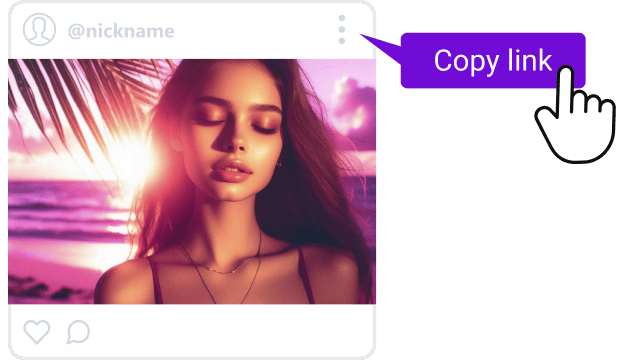
1
Copy the Reel link
Open the Reel in the Instagram app, tap the paper plane icon (Share) and choose Copy link. In a browser on a computer, copy the address from the bar while the Reel plays.
-
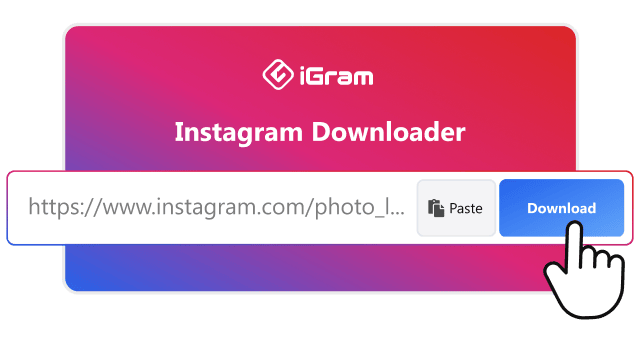
2
Paste the link into iGram
Put the link into the field at the top of this page and press Download.
-
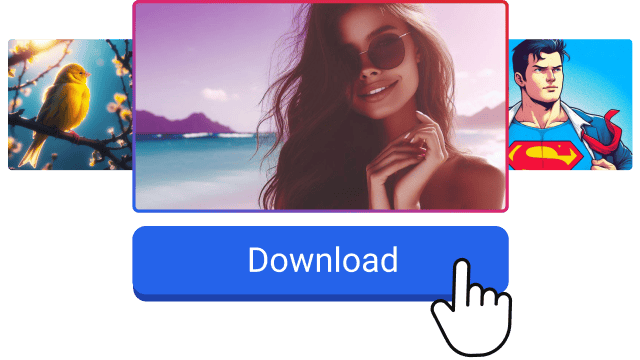
3
Save the MP4 to your device
Press Download under the result. A computer saves the file to Downloads; an iPhone puts it into the Files app first, and moving it to Photos takes two taps.
What you get from the Instagram Reel downloader: quality, sound, watermark
Each Reel comes as an MP4 file with the audio track Instagram plays, whether that is the creator's voice, a song from the Instagram music library or both. The plans differ only in resolution and extras, and neither of them can make a Reel sharper than the creator uploaded it.
A downloaded Reel on the Free and Premium plans
|
Free |
Premium |
| Resolution |
Standard quality, not HD |
HD up to 1080p, 4K when the original is 4K |
| Format |
MP4 |
MP4 |
| Sound |
Original audio track |
Original audio track |
| Reels with licensed music |
Saved with the music |
Saved with the music |
| Audio only |
No |
MP3 file |
| Watermark from iGram |
None |
None |
| Speed |
Standard |
Up to 2× faster, with resume |
Premium runs on plans for 1, 6 or 12 months. Many Reels are stored at 1080p or lower, so the 4K option only appears for a Reel filmed and uploaded in 4K.
A logo or text the creator burned into the video stays, because it is part of the picture.
Instagram's Reel download button, screen recording or iGram
Instagram has its own Download option in the Share menu of some Reels, and for a quick personal copy it may be enough. It stops working when the creator turns downloads off, and it strips the sound from Reels that use licensed music.
Three ways to keep a Reel on your phone
|
Instagram download button |
Screen recording |
iGram |
| Which Reels |
Public Reels whose creator allows downloads |
Anything you can play |
Any public Reel |
| Watermark |
Instagram logo and the creator's username |
Interface, buttons and notifications in the frame |
None added |
| Licensed music |
Removed |
Only if sound recording is on |
Kept |
| Instagram account |
Needed, inside the app |
Needed in the app |
Not needed |
| Picture |
The Reel itself |
Your screen at its resolution, with the interface |
The Reel itself |
Tapping Save under a Reel is a different thing: it bookmarks the Reel inside Instagram, and nothing lands on your device.
Which Instagram Reels you can download
What matters is where the Reel lives: on a public account, its link works in iGram wherever you found it. Long Reels save in full, since iGram has no length limit.
-
Reels from your feed and the Reels tab
The full-screen Reels tab shows Reels from accounts you don't follow too. Open the Reel and tap Copy link: if the creator's account is public, the link works in iGram. Each Reel is saved separately, one link at a time.
-
Reels with licensed music or a voiceover
Instagram's own download button saves Reels with licensed library music silent. iGram keeps the whole audio track: the song, the voiceover and any original sound.
-
Reels whose creator turned downloads off
A creator can switch off Instagram's download button for one Reel or for the whole account. iGram doesn't depend on that setting: a Reel from a public account saves the same way.
Save Reels to your iPhone camera roll, Android or computer
The MP4 goes wherever your browser keeps downloads. On Android and computers that is the end of it; on an iPhone the Reel needs one more move to reach the camera roll.
On iPhone: from Files to Photos
Safari and Chrome on iPhone save the MP4 into the Files app. To see the Reel in Photos:
- Tap the download icon in the Safari address bar and open Downloads, or open the Files app and go to Downloads.
- Tap the Reel to play it.
- Tap Share, then Save Video. The Reel appears in your camera roll.
On Android: Downloads and Gallery
Chrome puts the MP4 into the Download folder, and the Gallery app shows it in a Download album a moment later. If you save Reels every day, the iGram app for Android skips the browser.
On Windows or Mac
Any browser works, Chrome, Safari, Edge or Firefox. The file lands in the Downloads folder and opens in the Photos app on Windows or QuickTime on a Mac.
Why a Reel won't download
Almost always the reason is the account or the link, not your device.
- The account is private. iGram only reads public accounts, so a Reel from a closed profile stays closed even if you follow it.
- The Reel was deleted or archived. Once the creator removes or archives it, the link leads nowhere.
- The link is cut short. Copy it again with Copy link in the Share menu rather than from a message preview.
- It is a profile or a Story link. A profile address has no Reel in it. Stories save with the Instagram story downloader.
- A temporary error. Wait a minute and press Download again.
Can you download someone else's Reel?
You can keep a public Reel for personal viewing, but it still belongs to its creator. Before you post it on your own account or use it for a brand, ask the creator for permission and credit them. The music in a Reel may be licensed separately, so a song that plays on Instagram is not automatically yours to use.
Saving a Reel is private. iGram never asks for your Instagram password, the creator gets no notification, and iGram keeps no copy of the file. The rules for using content on Instagram are set by Meta in the Instagram Terms of Use.


