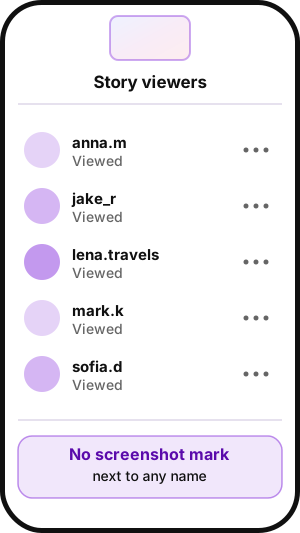
No. Instagram does not notify anyone when you screenshot or screen record their Story, including Close Friends Stories and Highlights. The author sees that you viewed the Story, not that you captured it. Screenshot alerts exist only in Direct messages: disappearing photos and videos and vanish mode chats.
As of October 2026, the answer to "does Instagram notify when you screenshot a story" (or "does IG tell when you screenshot a story", as many people search it) is still no. Instagram, Meta's photo and video app, tested Story screenshot alerts from February to June 2018.
Instagram screenshot notifications at a glance
Can you see if someone screenshots your Instagram story? No. Instagram sends a screenshot alert in only two places: disappearing photos and videos in Direct and vanish mode chats.
| Content | Author notified? | Source |
|---|---|---|
| Story, public or private account | No | Android Authority, 2026 |
| Close Friends Story | No | Android Authority, 2026 |
| Story Highlights | No | Outfy, 2026 |
| Feed posts and Reels | No | Android Authority, 2026 |
| Profile | No | Outfy, Metricool, 2026 |
| Regular Direct messages | No | Android Authority, 2026 |
| View once or allow replay photo or video | Yes, or the screenshot is blocked | Gizmodo, 2018; Meta, 2024 |
| Vanish mode chat | Yes | TechCrunch, 2020 |
Can people see if you screenshot their Instagram story?
No. The Story viewer list shows who watched, not who captured it. Our guide explains what your Story viewer list shows.
Can people see when you screenshot their Instagram story on a private account? No, the rule is the same for every account. One limit: the author can still hear about it from anyone you send the image to.
Close Friends stories
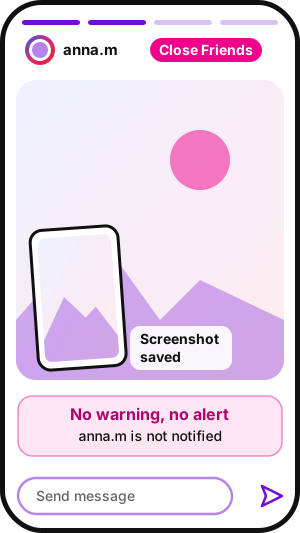
Does Instagram notify when you screenshot a close friend story? No. The audience is smaller, but the rule does not change.
Story highlights
Do people get notified when you screenshot on Instagram story highlights? No. Highlights keep Stories on a profile after 24 hours, and capturing one sends no alert either. To save public Highlights as files, download Instagram highlights with iGram.
Does Instagram notify when you screen record a story?
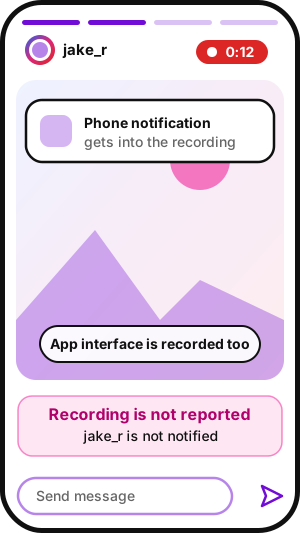
No. Screen recording follows the same rule as screenshotting Instagram stories: the author is not notified.
Instagram tested screenshot alerts for stories in 2018
Does Instagram show when you screenshot a story? Only some accounts ever saw that, in a 2018 test copied from Snapchat. It never launched, but people still remember it:
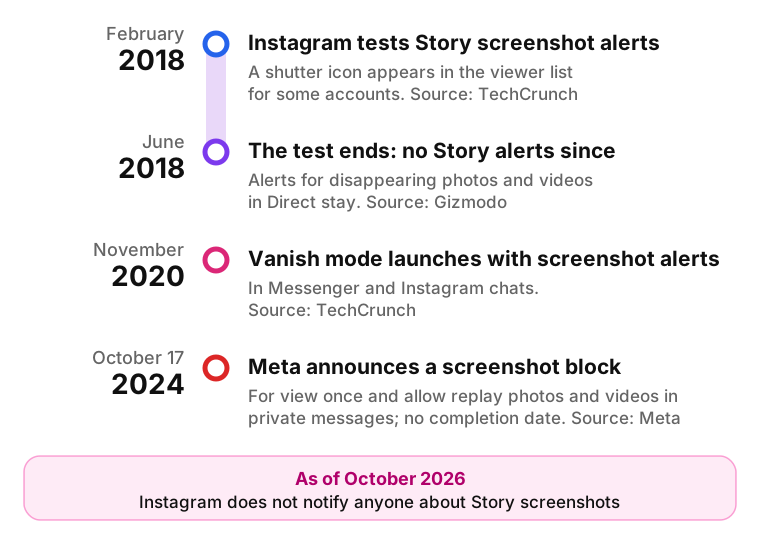
- February 2018: a test shows a shutter icon in the viewer list and warns people who capture a Story (TechCrunch).
- June 2018: the test ends; alerts for disappearing photos and videos in Direct stay (Gizmodo).
- November 2020: vanish mode launches in Messenger and Instagram with screenshot alerts (TechCrunch).
- October 2024: Meta announces a block on screenshots of disappearing photos and videos in private messages.
I remember some years ago they did implement a notification when someone ss'd your story but they quickly removed that.
Can you see when someone screenshots your Instagram story? Only accounts in that 2018 test could, through the shutter icon in the list of story viewers.
Does Instagram notify when you screenshot a DM?
It depends on how the message was sent. Instagram does not notify the sender when you take a screenshot of regular DMs: text and gallery photos or videos behave like the rest of the conversation (Android Authority, February 2026). Only disappearing messages trigger an alert.
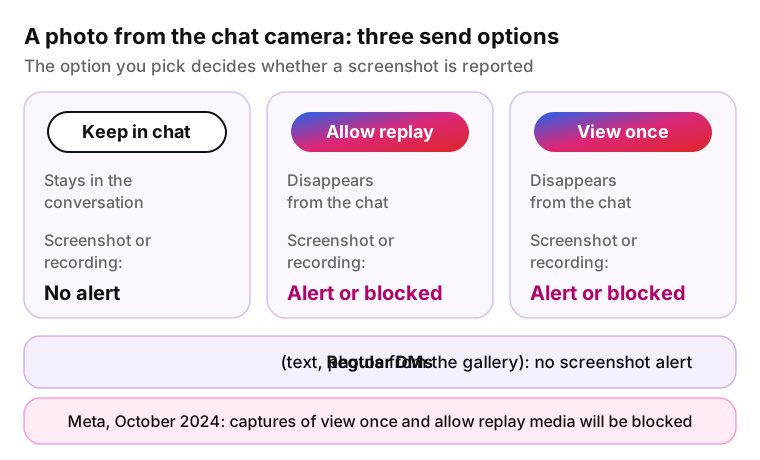
The difference starts at the camera button inside a chat. A photo or video taken there can go out with one of three options: View once, Allow replay or Keep in chat. Keep in chat makes an ordinary message that stays in the conversation, and Meta's 2024 screenshot block covers only view once and allow replay media.
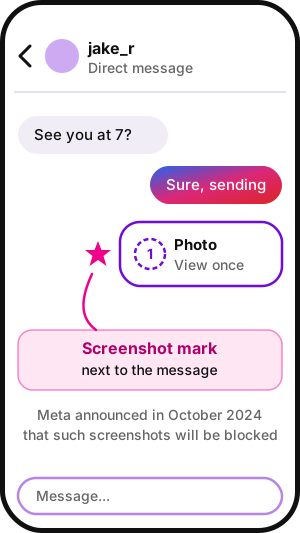
When the recipient captures a view once or allow replay photo, the sender gets a notification and a small icon next to the message. Android Authority describes it as a spiral that looks like a loading circle and stays after the photo expires; other guides call it a starburst icon.
The rule is the same if you screen record disappearing DMs. Meta's October 2024 announcement names both screenshots and screen recordings of these photos and videos, in Instagram DM and in Messenger. Android Authority adds that on some devices, iPhones among them, the app may refuse the screenshot outright.
| Message type | Disappears? | Screenshot or recording alert? |
|---|---|---|
| Text, gallery photo or video in a regular chat | No | No |
| Camera photo or video sent with Keep in chat | No | No |
| Camera photo or video sent with Allow replay | Yes | Yes, or the capture is blocked |
| Camera photo or video sent with View once | Yes | Yes, or the capture is blocked |
| Any message in a vanish mode chat | Yes, after it is seen and the chat is closed | Yes |
Where Instagram still notifies: disappearing photos, videos and vanish mode
Instagram reacts to screenshots only in content it treats as temporary, all of it in Instagram Direct, the app's private messages.
View once and allow replay photos and videos
If you screenshot a photo or video sent as view once or allow replay, the sender has been able to see a mark next to the message.
On October 17, 2024, Meta wrote in its campaign against sextortion scams: "Soon, we'll no longer allow people to use their device to directly screenshot or screen record ephemeral images or videos sent in private messages." The post gave no completion date, so the block may not be active on every account yet. Where it is not, the sender is notified.
Vanish mode chats
Vanish mode is opt-in: you swipe up inside an existing chat, the screen goes dark, and a "Turn Off Vanish Mode" button ends it. It works only with people you are connected to (TechCrunch, November 2020).
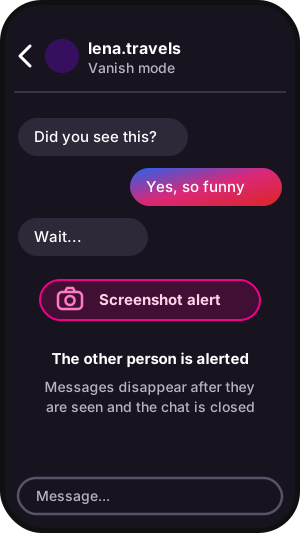
In vanish mode, messages disappear after they are seen and the chat is closed. If someone reports the chat, Meta can review the messages for up to 1 hour after they vanish.
Capture a message and the other person is alerted, as one user found out:
I learned the hard way that those disappearing Instagram let people know when you've screenshotted those messages
How to know if someone screenshots your Instagram story
You can't. Instagram shows who viewed your Story, not who captured it. Related: view Instagram Stories anonymously.
Can you see who screenshots your Instagram story with third-party apps? No. Apps that promise to reveal it cannot get that data, because Instagram does not record it. Many ask for your password, which puts the account at risk.
Story Insights do not fill the gap either. Our Story analytics guide explains each metric, but engagement numbers say nothing about who kept a copy.
How to limit who can capture your stories
You cannot stop captures, only choose who sees the Story. These privacy settings live in the app menu, and their names vary between app versions.
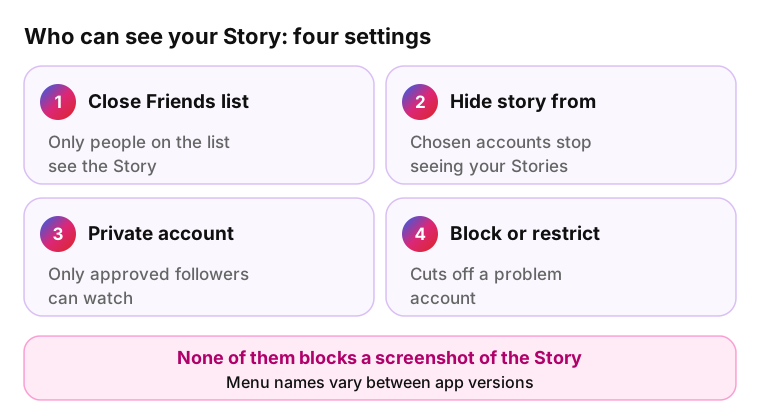
- Close Friends list: only people on the list see the Story.
- Hide story from: hide your Stories from chosen accounts.
- Private account: only approved followers can watch.
- Block or restrict: cuts off a problem account.
- View once in Direct: for a photo meant for one person, use a view once message instead of a Story.
No setting stops someone from photographing the screen with another phone. Keep documents, house numbers and other sensitive information out of the frame.
Save an Instagram story without a screenshot
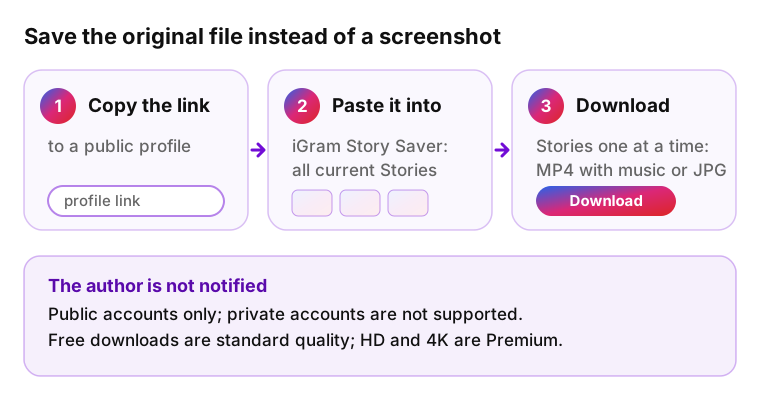
People who search "screenshot Instagram story" usually want to keep it. A screenshot keeps one frame of a Story; a story saver keeps the original file. Paste a public profile link into iGram to save Instagram stories: Story Saver lists all current Stories, and you download them one at a time. iGram is not affiliated with Instagram or Meta.
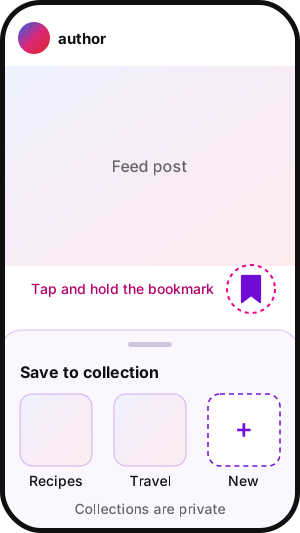
For feed posts and Reels, Instagram has its own option: tap the bookmark icon under a post to save it, or tap and hold it to file the post into a named collection. Instagram says collections are private and only you can see them (Instagram, April 2017). A saved post stays in the app, so it is a bookmark, not a file.
| Method | What you get | Author notified? | Limits |
|---|---|---|---|
| Save (bookmark) | The post in your private Saved tab, sorted into collections | No | Posts only; stays inside Instagram, no file |
| Screenshot | Screen image; one silent frame of a video | No | Interface in the shot |
| Screen recording | Screen video with the interface | No | Screen quality, notifications |
| iGram Story Saver | MP4 video with its music, or JPG photo; stickers kept | No | Public accounts only; HD and 4K are Premium |
How other apps handle screenshots
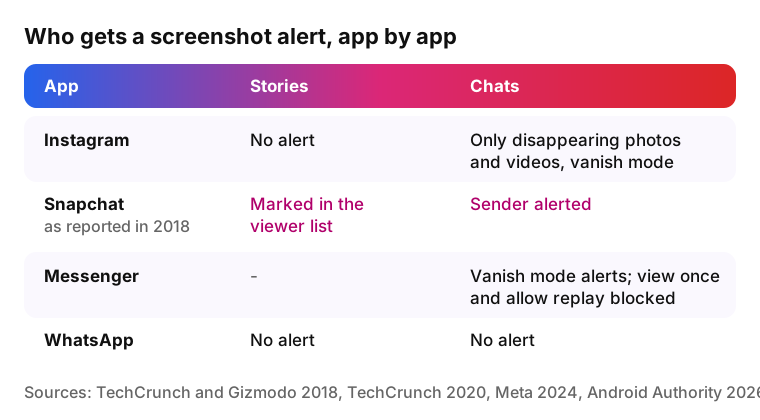
Can people see if you screenshot their Instagram story the way Snapchat users could? No. In 2018, TechCrunch and Gizmodo described Snapchat as marking Story screenshots next to the viewer's name and alerting the sender when a direct message is captured. Instagram copied that marker in its 2018 test and then dropped it.
Does Instagram notify screenshots like the other Meta apps? Mostly yes. Android Authority (February 2026) reports that WhatsApp and Facebook send no screenshot notifications. Messenger shares Instagram's exceptions: vanish mode alerts since November 2020 and the 2024 block for view once and allow replay media.
Myths about Instagram screenshot alerts
- Instagram began Story alerts in 2025 or 2026 Does Instagram tell when you screenshot a story now? No. Neither Meta nor Android Authority (February 2026) reports a change; the claim comes from unsourced articles.
- Airplane mode hides a screenshot of a disappearing photo Guides call it unreliable, and Meta plans to block such captures.
- Saving a post tells the author Saved posts and collections are private: Instagram says only you can see them.
Instagram screenshot questions
-
No. Screenshots of feed posts and Reels send no alert. See Reels vs Stories for how the formats differ, or download Instagram videos as files.
-
No. Regular Direct messages, including photos kept in the chat, send no alert. Only view once or allow replay photos and videos and vanish mode chats react.
-
No. A screenshot of a profile, with its grid, bio and follower counts, sends nothing to the account owner, whether the account is public or private.
-
Instagram has announced no such plans. The only Story alerts were a test that ended in June 2018.
-
Not for Stories: capturing a Story on a computer sends no alert. In October 2024, Meta said view once and allow replay photos and videos won't open on Instagram web, to prevent getting around the screenshot block.
-
Yes, inside the app. Instagram sends no alert for Story screenshots, so the author sees only that you viewed the Story. Can someone see if you screenshot their Instagram story another way? Only if the image reaches them, for example when you send it to a mutual friend.
-
Instagram will not notify the author, but the content and its copyright stay with them. Respect that: ask for permission before reposting and tag the author when you share.
-
No. The author does not learn about the download. The Instagram downloader works with public accounts only and does not store the links you paste or the files you save. Free downloads are standard quality; HD and 4K are Premium.