Instagram, the Meta-owned app, has no anonymous mode: a view from any logged-in account puts that username on the Story's viewer list. So how to view Instagram Stories anonymously? Two methods hold up in 2026: a second account and a no-login web viewer for public accounts. Airplane mode and the half swipe are unreliable, and private Stories have no anonymous option.
To view IG stories anonymously is to stay off the author's viewer list. It hides you from the person who posted the Story, not from Instagram itself.
Built-in anonymous mode: None
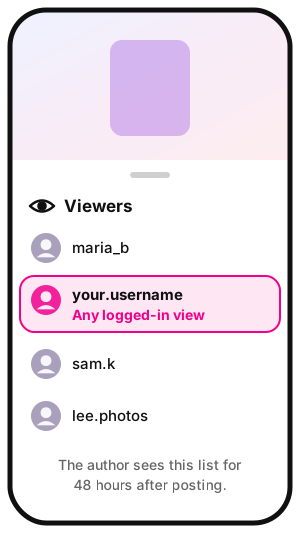
Who sees the viewer list: Only the Story's author, for 48 hours after posting
How to view Instagram story anonymously: A second account or a no-login web viewer (public accounts only)
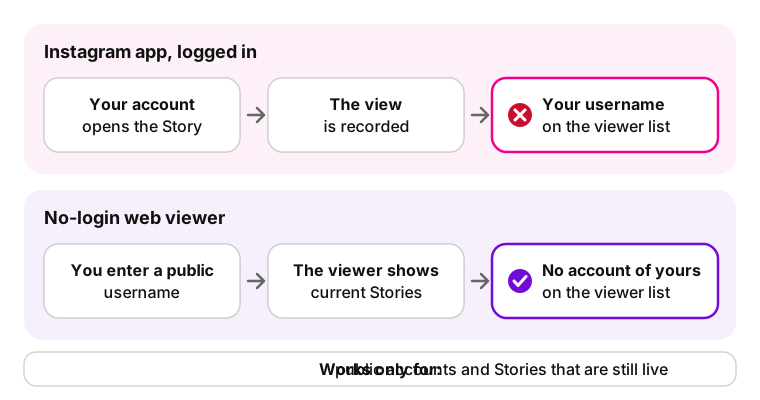
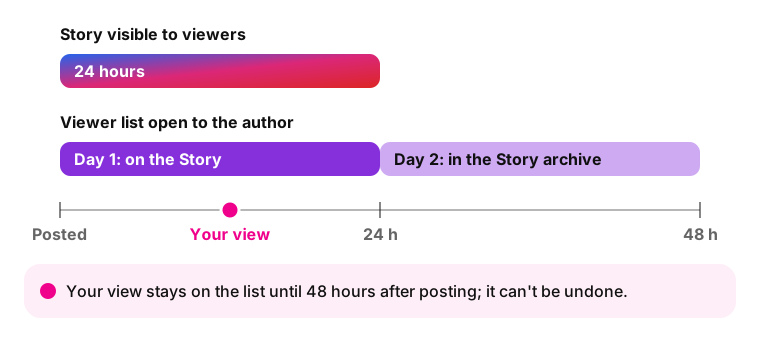
Not with Instagram's own tools: every view from a logged-in account is added to the Story's viewer list. Instagram Stories, the posts that disappear after 24 hours, keep that list open to the author for 48 hours after posting, after the first day through the Story archive. Only the author sees it, and the view count includes replays (Instagram Help Center).
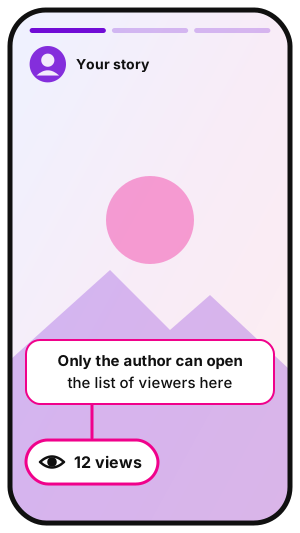
Illustration: the view count opens the list of story viewers.Illustration: any logged-in view adds your username to this list.
How to view someone's Instagram story without it showing
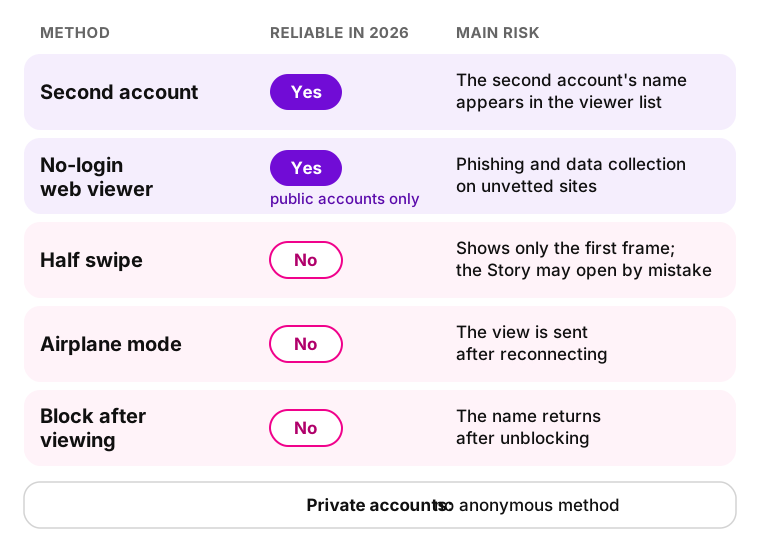
The list runs from most to least reliable; the first two cover how to view someone's Instagram story anonymously in most cases.
How to view IG story anonymously: methods reliable in 2026 and the main risk of each.
Use a second Instagram account
A second Instagram account lets you watch Instagram Stories anonymously from the app itself. Instagram allows up to 5 accounts in one app. It works for public accounts; a private account shows its Stories only after the owner accepts the second account's follow request.
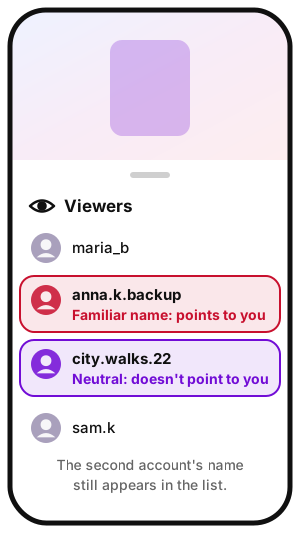
The limitation: the second account's name still appears in the viewer list, so a familiar photo or name gives you away. Instagram can also link accounts through device data and IP addresses, Bitdefender notes.
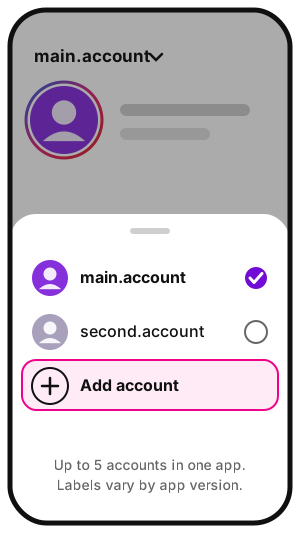
Illustration: switch to the second account before opening the Story.Illustration: a separate account with a familiar name points to you.
Create an account with a photo and name that don't point to you.
On your profile, open the menu and tap Add account (labels vary by app version).
Switch accounts before opening the Story.
Use a web viewer that doesn't ask you to log in
To watch IG stories anonymously without a second profile, use a no-login web viewer: it shows public accounts' current Stories by username, with no Instagram sign-in. None of your accounts opens the Story, so none lands on the viewer list. It works only for public accounts and live Stories.
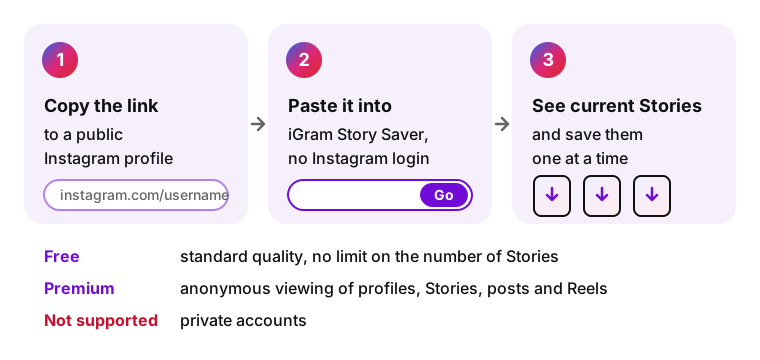
In iGram, anonymous viewing is a Premium feature, for public accounts only. The free Story Saver shows a public profile's current Stories and saves them one at a time; the author doesn't learn about the download.
A no-login viewer opens the Story without any of your accounts.
Story Saver: paste a public profile link, save Stories one by one.
Peek at the story with a half swipe
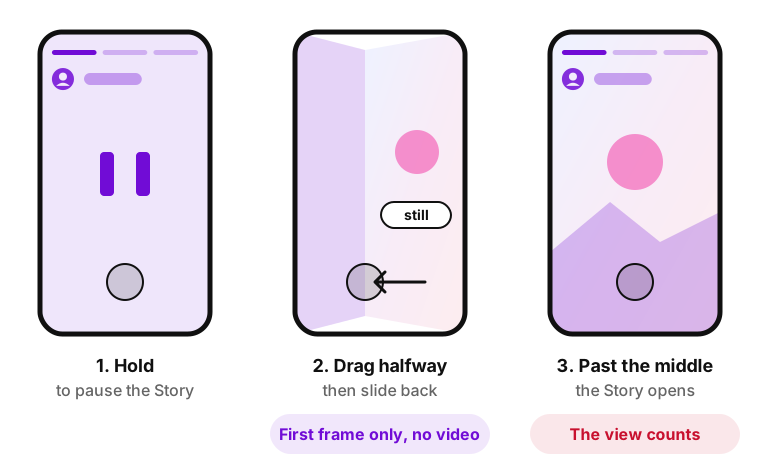
The half swipe gives a preview of the next Story without opening it: only the first frame, as a still image. Drag past the middle and the view counts. ContentStudio calls the trick unreliable in 2026.
The half swipe shows a still first frame; past the middle, the view counts.
Open the Story of the account placed just before the one you want.
Press and hold to pause it.
Drag halfway sideways without letting go, then slide back.
Airplane mode: why it no longer works reliably
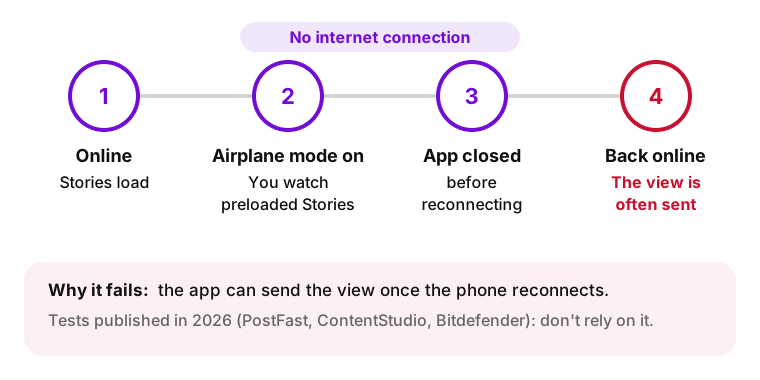
Older guides still list airplane mode first: load the Stories, go offline on your iPhone or Android phone, watch, and close the app before reconnecting. Tests published in 2026 by PostFast, ContentStudio and Bitdefender show the view is often sent once the phone is back online, so don't rely on it.
The view is often sent once the internet connection returns.
Blocking after viewing: why it backfires
Blocking after viewing appears in older guides. A 2026 PostFast guide reports that your name is hidden only while the block lasts and returns after unblocking, and the person can notice the block.
Anonymous viewing methods compared
Anonymous viewing methods, as of October 2026
Method
Reliable in 2026
Shows video
Private accounts
Main risk
Second account
Yes
Yes
Only after they accept your follow request
The second account's name appears in the list
No-login web viewer
Yes, public accounts
Yes
No
Phishing and data collection on unvetted sites
Half swipe
No
First frame only
Only accounts you already follow
Opening the Story by mistake
Airplane mode
No
Only preloaded Stories
Only accounts you already follow
The view is sent after reconnecting
Block after viewing
No
-
-
The name returns after unblocking
For a one-off look at a public account, use a no-login web viewer; for regular viewing, a second account.
Can you view private Instagram Stories anonymously?
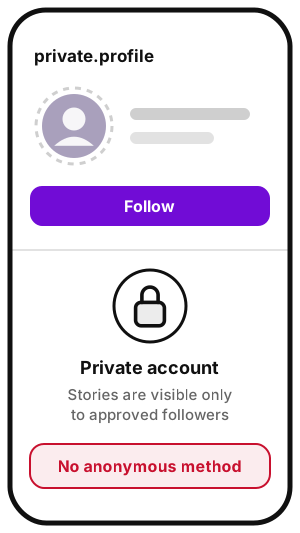
No. A private account's Stories are visible only to approved followers, and no method gets around that; Bitdefender calls any site claiming otherwise a red flag. iGram doesn't support private accounts either. An anonymous Instagram story viewer for private accounts usually asks for your login, a survey, "human verification" or an app install.
Illustration: private Stories are for approved followers only.
Risks of third-party story viewer sites
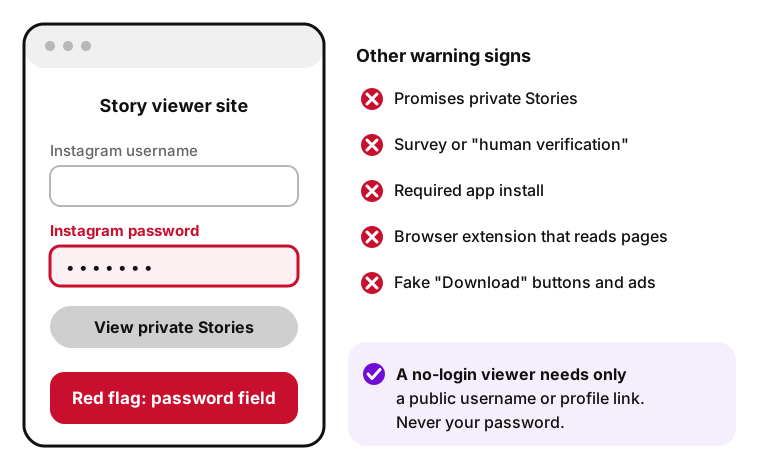
A viewer website that asks for your password is a red flag.
Login requests. A site that gets your Instagram username and password gets full access to your account. A legitimate viewer doesn't need you to sign in; a password field is a sign of phishing, a scam built to steal credentials.
Data collection. Unvetted sites load ads, trackers and fake "Download" buttons; some spread malware.
Browser extensions. An extension can read the pages you visit, depending on its permissions, which makes it the riskiest kind of viewer.
If you already entered your password. Change it, turn on two-factor authentication and remove unknown apps in security settings, as Instagram's account security tips advise.
I've been using an app from Play Store and instagram got notice of it and warned me of using 3rd party app
iGram is a third-party service too, not affiliated with Instagram or Meta. It doesn't ask for your Instagram login or store links and files.
Already viewed a story by mistake?
A Story view can't be undone. Your name stays on the viewer list until 48 hours have passed since the Story was posted, when the list closes. Deleting the Instagram app doesn't remove the view.
The viewer list stays open for 48 hours after posting.
Viewing Instagram Stories anonymously: FAQ
Not with a notification. If you view a story on Instagram, is it anonymous? Not from a logged-in account: your username appears in the viewer list, which the author can open for 48 hours after posting.
Yes. Following doesn't matter: if you open a public account's Story while logged in, your username shows up in the viewer list. A no-login viewer or a second account keeps your main name off it.
No. The viewer list shows each name once, without a per-person count. The total view count includes replays, so it can exceed the number of people on the list. See what each Story metric counts.
Only partly. The half swipe shows the first frame of the next Story as a still image, so a video Story doesn't play and later slides stay hidden. Drag past the middle and the Story opens, which adds you to the viewer list.
The same rules apply. Highlights are made of past Stories, so viewing one from your account can put you on the viewer list while the original Story is within 48 hours of posting. For Instagram Story Highlights, use a second account or a no-login viewer.
No. Instagram doesn't notify anyone when you screenshot a Story; the author sees the view, not the capture. Screenshot alerts exist only for disappearing photos and videos in Direct and vanish mode chats. Details: does Instagram notify when you screenshot a story.
Yes, with iGram Premium, for public accounts only. Premium covers anonymous viewing of profiles, Stories, posts and Reels without your Instagram login, and nothing is stored. The free Story Saver saves current Stories in standard quality, one at a time.