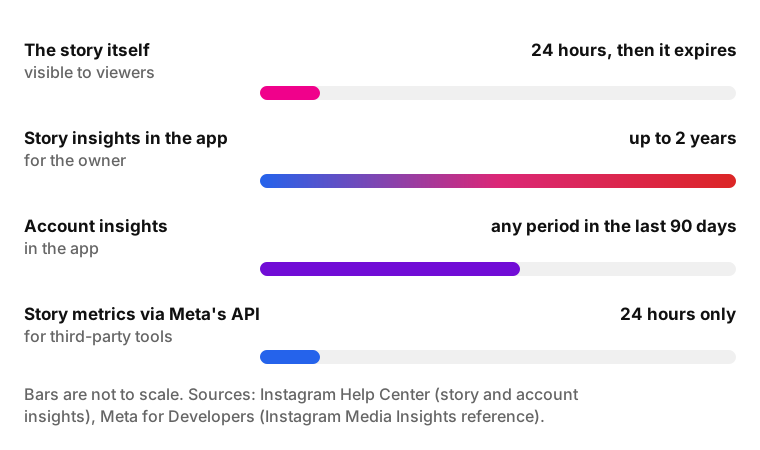
Instagram story analytics show how many times your story was played (Views), how many unique accounts saw it (Viewers), what people did with it (Interactions, Profile activity) and how they moved through it (Forward, Back, Next story, Exited). Instagram keeps these insights for up to two years after you post the story.
Story analytics only cover your own content. Instagram doesn't show insights for someone else's stories, and its Help Center describes insights only for "your stories".
- Who can see them: The owner of a public account, personal or professional, according to the Instagram Help Center
- Where: Open your story, then Activity, then Insights. For past stories: Insights or Your dashboard, then Content you shared
- How long: Up to two years in the app; only 24 hours through Meta's API
- Main metrics: Views, Viewers, Interactions, Accounts engaged, Profile activity, Navigation
- Impressions: Replaced by Views in 2024-2025
What Instagram story analytics show
Instagram story analytics are the insights Instagram shows the owner of a story: how many times it was viewed, by how many accounts, what people did and how they moved through it. The Instagram Help Center article on story insights groups the numbers below; the Navigation group comes from Meta's developer documentation.
| Group | Metrics | Question it answers |
|---|---|---|
| Views and Viewers | Views, Viewers | How many people saw it? |
| Interactions | Interactions, Accounts engaged, replies, shares, sticker taps, link taps | Did anyone act on it? |
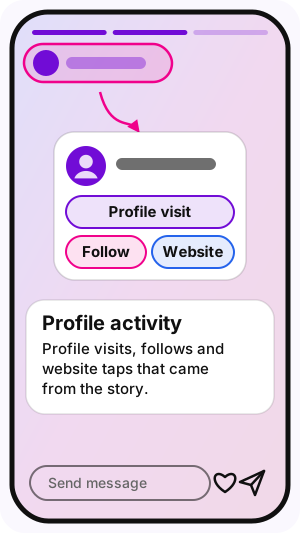
| Profile activity | Profile visits, follows, website taps | Did the story send people to my profile? |
| Navigation | Forward, Back, Next story, Exited | Where did people skip or leave? |
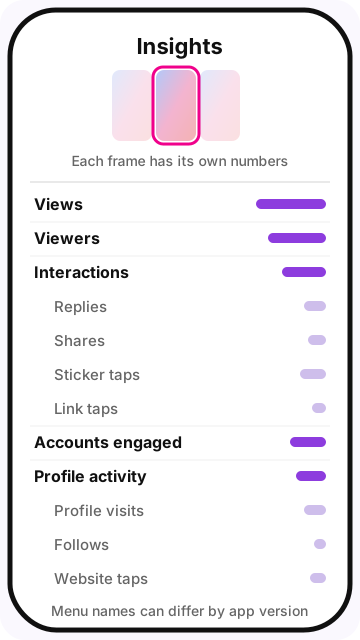
A story with several photos or videos is a set of separate frames. In Meta's API each frame is its own media object with its own numbers, so a five-frame story produces five sets of metrics. Reading frame by frame shows which part held attention and where viewers left.
How to see Instagram story analytics
To see Instagram story analytics, open the story and tap Activity, then Insights. The path for expired stories goes through your profile menu. The steps below follow the Instagram Help Center; menu names can shift between app versions.
For a story that is still live
On a computer at instagram.com, open your story, click Options in the top right corner and choose View insights.
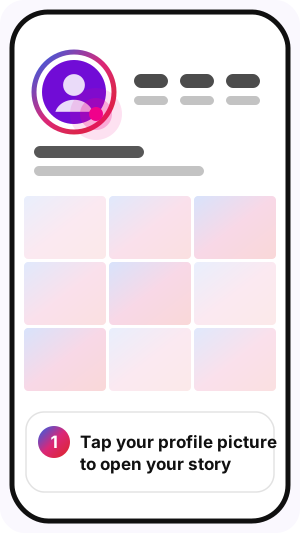
- Open the Instagram app and tap your profile picture to open your current story.
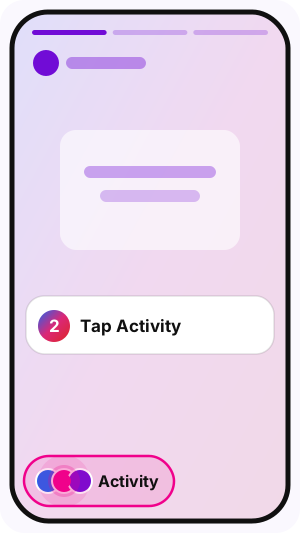
- Tap Activity.
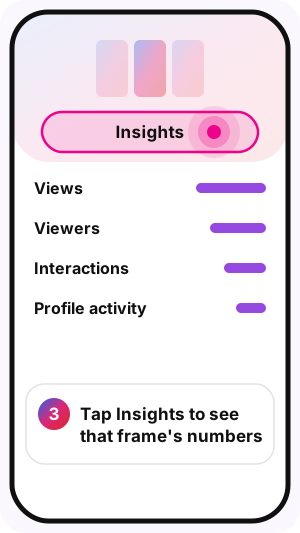
- Tap Insights to see the numbers for that frame.
For stories that have expired
The Help Center warns that "reported numbers may be delayed as they populate". A story posted an hour ago can show lower numbers than it will show later in the day.
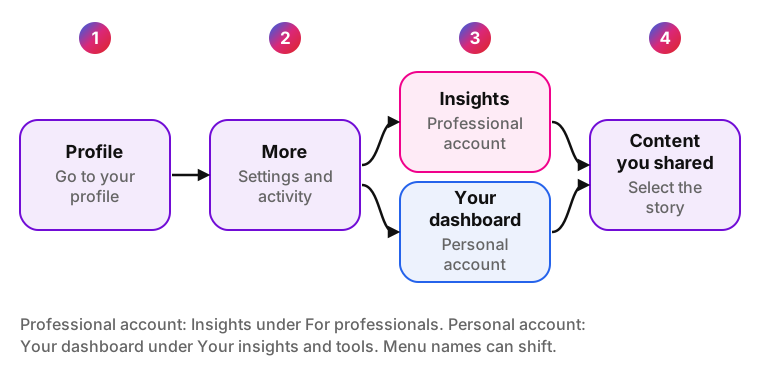
- Go to your profile and tap More (Settings and activity).
- Professional account: tap Insights under For professionals. Personal account: tap Your dashboard under Your insights and tools.
- Tap Content you shared and select the story.
How long story insights stay available
Instagram story insights stay available for up to two years. The Help Center puts it this way: "Although stories expire after 24 hours, you can still access insights for up to two years after they're created. Expired stories themselves are not viewable." Account-level insights work differently: you can pick any period within the last 90 days (Help Center, account insights).
Third-party tools have a much shorter window. Meta's Instagram Media Insights reference says story media metrics are "only available for 24 hours" through the API. A scheduling or analytics service that didn't collect a story's numbers within that day can't get them later, even though you still see them in the app. Guides disagree on this point (one says "14 days in-app", another "last two years"), so the dates above come straight from Meta's pages.
The viewer list, which shows who watched, is a separate feature from these numbers. How Instagram orders that list is covered in Instagram story viewer order.
Who can see story insights
Instagram's Help Center says: "You need to have a public (personal or professional) account on Instagram to view insights." Many older guides say story insights need a Business or Creator account. If you have a public personal account and don't see insights, switch to a professional account in Settings and check again.
Switching to a private account removes access to insights. According to the Help Center, you can get past data back if you make the account public again within 90 days. Boosting a story as an ad is available only to professional accounts.
Some message-related metrics aren't available in Europe and Japan, the Help Center notes. This explains empty reply counts for part of the audience.
Every Instagram story metric explained
Instagram story metrics fall into 15 numbers you can read on a frame or pull through the API. Each definition below names its source.
Summary of the 15 metrics
| Metric | What Instagram counts | Source |
|---|---|---|
| Views | Times your story was played or displayed, repeat views included | Help Center |
| Viewers | Unique accounts that saw your story at least once (reach in the API) | Help Center, Meta for Developers |
| Replies | Replies sent to your story | Meta for Developers |
| Shares | Times your story was shared | Help Center, Meta for Developers |
| Sticker taps | Taps on stickers such as polls, questions, mentions, hashtags and locations | Help Center |
| Link taps | Taps on a link sticker | Help Center |
| Profile visits | Times your profile was visited from the story | Help Center, Meta for Developers |
| Follows | Accounts that followed you from the story | Help Center |
| Website taps | Website clicks that came from the story | Help Center |
| Interactions | Total actions taken on the story | Help Center |
| Accounts engaged | Unique accounts that interacted with the story | Help Center |
| Forward | Taps to the next frame of your story | Meta for Developers |
| Back | Taps back to the previous frame | Meta for Developers |
| Next story | Swipes to the next account's story | Meta for Developers |
| Exited | Exits from Stories | Meta for Developers |
Views (what happened to impressions)
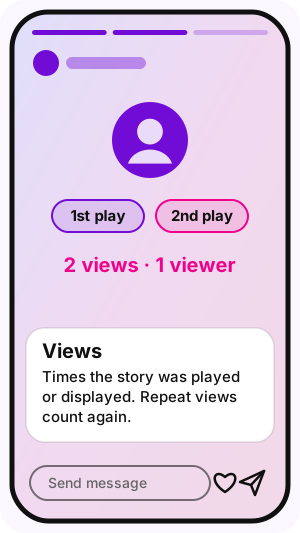
Views is the number of times your story was played or displayed, according to the Help Center; when one account watches a frame twice, both views count. Meta's API uses the same idea: "Total number of times IG Media has been played on Instagram."
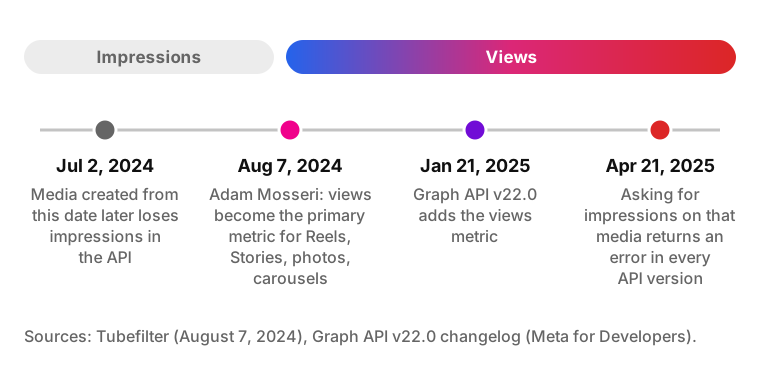
Views replaced the older Impressions metric. On August 7, 2024, Adam Mosseri, head of Instagram, said views would become the primary metric across Reels, Stories, photos and carousels (Tubefilter). Meta Platforms added views to the Graph API on January 21, 2025, and since April 21, 2025 every API version returns an error when asked for impressions on media created on or after July 2, 2024 (Graph API v22.0 changelog).
If an older report shows Instagram story impressions and a newer one shows Views, the change is in the metric, not in your audience. Don't put old Impressions and new Views on one chart without a note. Views is also the shared metric for comparing formats, covered in Instagram Reels vs Stories.
Viewers and reach
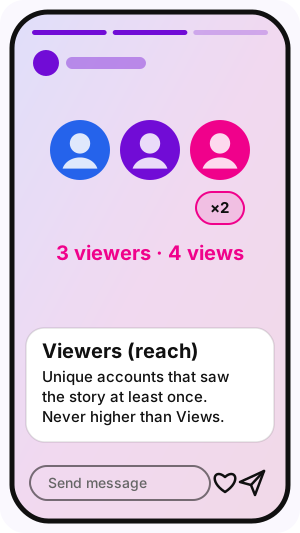
Viewers is the number of unique accounts that saw your story at least once (Help Center). Meta's API calls the same idea reach: the "number of unique Instagram users that have seen" the media at least once. Views can never be lower than Viewers; the gap between them is repeat viewing.
Instagram story reach matters because it is the base for other ratios. Mosseri's 2024 announcement also told creators to keep watching sends-to-reach, which compares how often content is shared in DMs with how many accounts saw it.
Replies
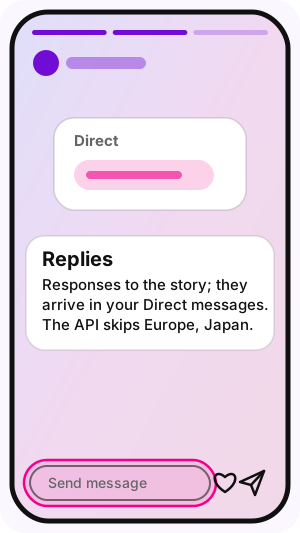
Replies counts the responses people sent to your story; they arrive in your Direct messages. Meta's developer reference says the value "does not include replies made by users in some regions": Europe since December 1, 2020 and Japan since April 14, 2021. If the story was created by a user in one of these regions, the API returns 0.
Shares
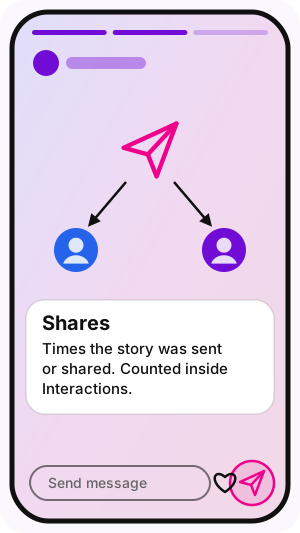
Shares counts how many times people sent or shared your story; the Help Center lists shares inside Interactions. Shares are the story version of sends, the DM-sharing signal Mosseri asked creators to watch alongside views.
Sticker taps and link taps
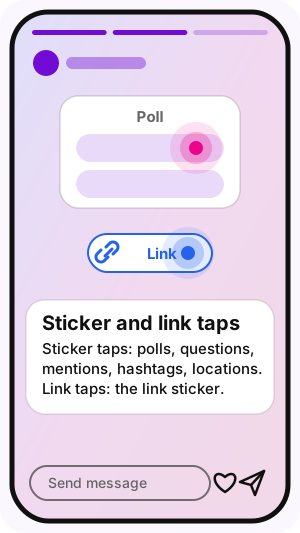
Sticker taps count taps on interactive stickers such as polls, questions, mentions, hashtags and locations; link taps count taps on a link sticker. The Help Center lists both inside Interactions. Exact rows vary with the stickers used, so check the insights of a story that had a poll or a link to see what your app shows.
Swipe-ups no longer exist as a metric. Instagram replaced the swipe-up link with the link sticker, so a guide that still lists "number of swipe-ups" describes the old feature.
Profile activity: profile visits, follows and website taps
Profile activity counts "actions taken from your story, such as profile visits, follows, or website clicks", according to the Help Center. For a business account this is often the number that matters most: it shows the story moved someone from watching to your profile, your follow button or your site.
Interactions and accounts engaged
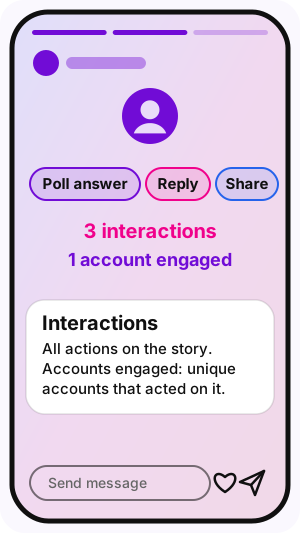
Interactions is the total of actions on the story: replies, shares, sticker taps, link taps and similar actions. Accounts engaged is the number of "unique accounts that interacted with your story" (Help Center). One person who answers a poll, replies and shares the story adds 3 interactions but only 1 account engaged.
Engagement rate is a calculation, not an Instagram metric: Instagram doesn't show this number; you calculate it as Accounts engaged divided by Viewers, times 100. With a few dozen viewers one action moves the result by several points, so compare it across several stories rather than reading a single one.
Instagram story navigation: forward, back, next story and exited
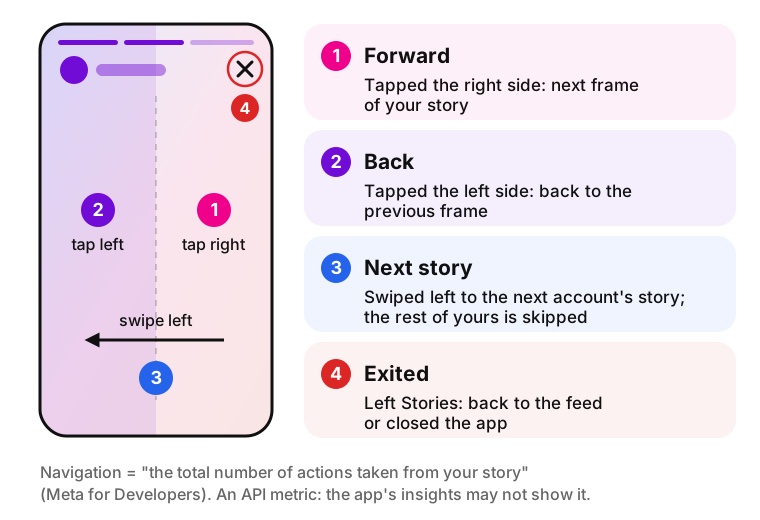
Instagram story navigation is "the total number of actions taken from your story", made up of exited, forward, back and next story, according to the Meta for Developers Media Insights reference. So what does navigation mean on Instagram story insights? It counts how viewers moved: on to the next frame, back, to another account or out of Stories.
Navigation actions at a glance
The API names come from Meta's documentation, where SWIPE_FORWARD is labeled "Next Story" and TAP_EXIT is labeled "Exit". The third column is our reading of typical behavior, not something Instagram reports.
The Help Center list of story metrics doesn't mention Navigation. Meta documents it as an API metric, so analytics tools connected to your account through Meta's API can report it. If you don't see Forward, Back, Next story or Exited in your app's insights, that is the reason, and a connected tool is where to look. One small business owner noticed the gap in July 2024:
| Action | What the viewer did | What it often means (interpretation) | API name |
|---|---|---|---|
| Forward | Tapped to the next frame of your story | Skimming, or the frame said everything fast | TAP_FORWARD |
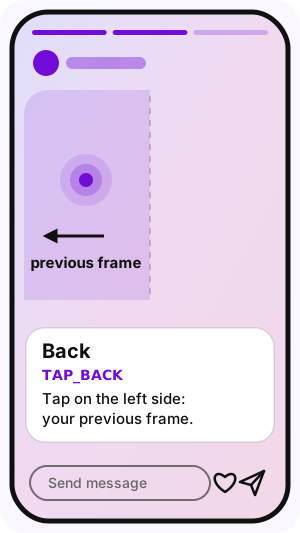
| Back | Tapped to see the previous frame again | Re-reading text, a price or a detail | TAP_BACK |
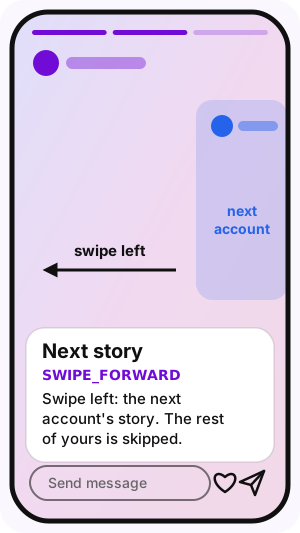
| Next story | Swiped to the next account's story | Skipped the rest of your story | SWIPE_FORWARD |
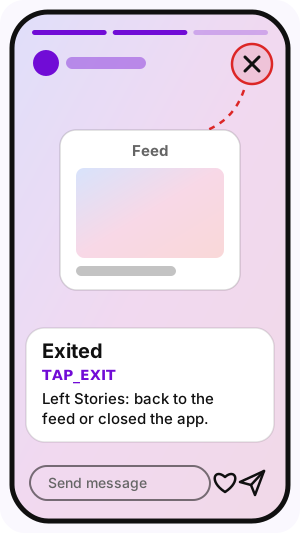
| Exited | Left Stories | Closed the viewer, ended the session or lost interest | TAP_EXIT |
I realized that one of the sections is missing for this, there's used to be a section at the bottom where you could see how many people clicked back on a story or exited.
What does forward mean on Instagram story?
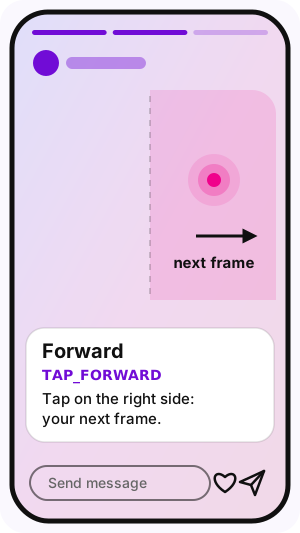
Forward means the viewer tapped the right side of the screen and jumped to the next frame of your story. It doesn't mean they forwarded the story to someone: sending a story to another person counts under Shares. Many forward taps on one frame point to skimming, but a short frame that delivered its point quickly gets them too.
What does back mean on Instagram story?
Back means the viewer tapped the left side of the screen to return to the previous frame. Back taps usually land on frames people want to read again: dense text, a price, a code or a detail that went by too fast.
What does next story mean on Instagram?
Next story means the viewer swiped left to the next account's story and skipped whatever was left of yours. Meta's API records this action as SWIPE_FORWARD. A jump in Next story on one frame shows where your story lost that viewer to someone else's.
What does exited mean on Instagram story insights?
Exited means the viewer left Stories altogether and went back to the feed or closed the app. Not every exit is a failure: after the last frame of the last account in someone's tray, leaving is the natural end. Exits that cluster on a middle frame are the ones worth fixing.
Forward vs next story: what is the difference
Forward vs next story: Instagram counts them as different actions, and the difference comes down to where the viewer ends up. Forward keeps them inside your story and moves to your next frame. Next story takes them out of your story to another account. High Forward with low Next story means people kept watching, just quickly; high Next story means they left for someone else.
How to read your story metrics
Instagram story analytics help most when you use them to decide what to post next. These five rules turn raw Instagram story stats into decisions, and each one comes with a condition.
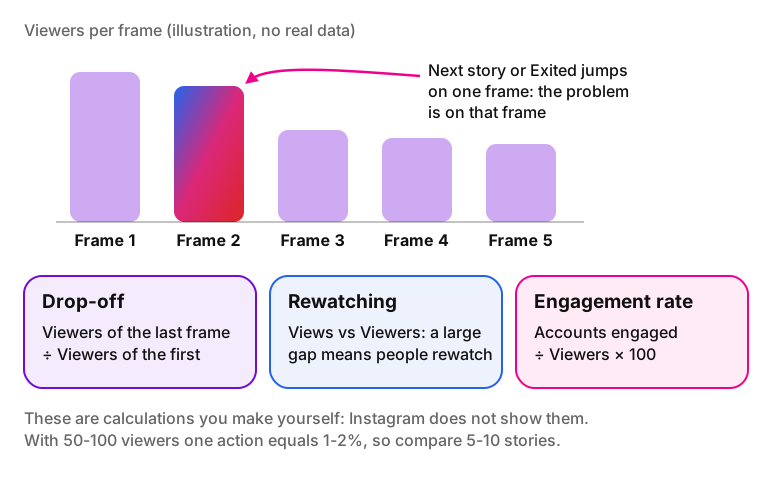
- Compare frames, not whole stories. If Next story or Exited jumps on one frame, the problem is on that frame: its opening, its length or its topic.
- Track drop-off yourself. Divide the Viewers of the last frame by the Viewers of the first. Some tools call this a completion rate; Instagram doesn't show such a number in its Help Center list, so it is a calculation you make.
- Treat back taps as a reading signal. Many back taps on a frame with text, a price or a detail mean people didn't finish reading. Give that frame more time or cut the text.
- Check Views against Viewers. A large gap means people rewatch the story, which is a good sign for instructions, promo codes and step-by-step frames.
- Wait for a trend on a small audience. With 50-100 viewers, one action equals 1-2%. Compare 5-10 stories before changing your approach.
Instagram doesn't publish benchmarks for Forward, Exited or any other story metric. The "normal" rates some articles quote come from analytics vendors' own data, not from Instagram, so this guide doesn't repeat them. Your earlier stories are the fairest comparison.
Once the numbers show which formats hold attention, use them to plan the next batch; Instagram story ideas lists formats to test.
Why story insights are missing or look wrong
When you can't work out how to see story analytics on Instagram, or the numbers look off, the cause is usually one of the cases below.
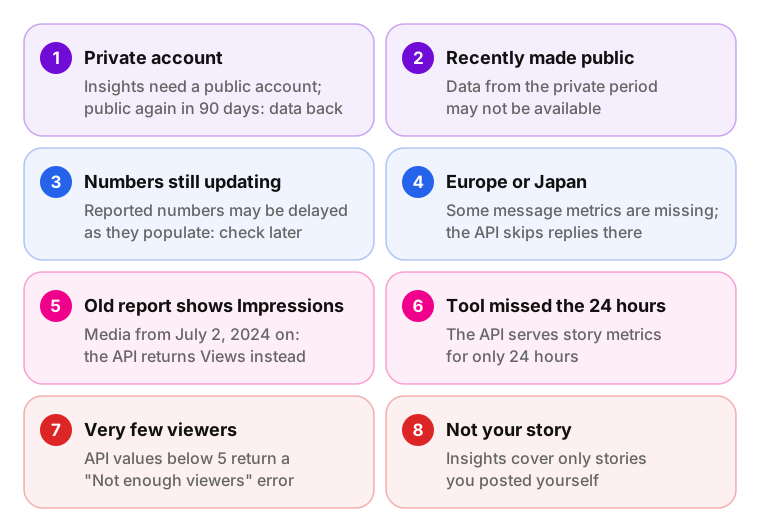
- The account is private. Insights require a public account. After switching to private you lose access, and the Help Center says past data comes back only if you make the account public again within 90 days.
- You recently made the account public. Insights from the period when the account was private may not be available.
- The numbers are still updating. The Help Center says reported numbers may be delayed as they populate. Check again later.
- You or your viewers are in Europe or Japan. Some message-related metrics aren't available there (Help Center), and the API doesn't count replies from those regions (Meta for Developers).
- An old report shows Impressions. For content created on or after July 2, 2024, the API no longer returns impressions; Views took their place (Graph API v22.0).
- A third-party tool lost a story. The API serves story metrics for only 24 hours. A tool that didn't collect them in time can't fetch them later.
- Very few viewers. Meta's developer reference says story metrics with values below 5 return a "Not enough viewers" error through the API. In-app insights are not covered by that note.
Instagram story analytics FAQ
-
Yes. Instagram shows the owner a list of accounts that viewed the story, separate from the counts in insights. Insights tell you how many accounts watched; the viewer list tells you which ones. How Instagram sorts that list is explained in Instagram story viewer order.
-
Instagram's Help Center says insights are available to public accounts, personal or professional. Older guides say you need a Business or Creator account. If your public personal account shows no insights, switch to a professional account and check again.
-
In the Instagram app, story insights stay available for up to two years after you post, even though the story itself expires after 24 hours. Through Meta's API, story metrics are available for only 24 hours, so third-party tools must collect them within the first day.
-
No. Views replaced Impressions. Adam Mosseri announced views as the primary metric on August 7, 2024, and since April 21, 2025 the Graph API returns an error for impressions on media created on or after July 2, 2024. Compare old Impressions with new Views only with a note.
-
Instagram doesn't publish a benchmark for forward taps or any other story metric. A useful baseline is your own history: compare forward taps per frame across several recent stories with a similar format and audience, and look for frames that stand out from that pattern.
-
No. Screenshots don't appear in the list of story metrics in Instagram's Help Center. For what Instagram does and doesn't tell story authors about screenshots, see Does Instagram notify when you screenshot a story?
-
No. Instagram shows insights only for content you posted yourself. Third-party analytics services work through Meta's API and can only read accounts whose owners connected them, so no tool can legitimately show the numbers behind another person's story.
Sources
- Instagram Help Center: insights for your stories
- Instagram Help Center: account insights, 90-day range and private accounts
- Meta for Developers: Instagram Media Insights reference
- Meta for Developers: Graph API v22.0 changelog (January 21, 2025)
- Tubefilter: Instagram standardizes its metrics around views (August 7, 2024)