Knowing how to recover disabled Instagram account access starts with one screen: the notice Instagram shows when you log in. Log in through the app or a browser, read the notice and, if it offers a review, follow its on-screen instructions. This works for a disabled account, not a deleted one, and the final decision stays with Meta.
Instagram, the photo and video app owned by Meta, disables accounts that it finds going against its Community Standards or Terms of Use. With your Instagram account disabled, you can't log in to use it and nobody else can see the profile. Each step follows the Instagram Help Center or Meta's own pages, and only Meta can reverse its decision.
- Where to appeal: In the notice you see after you log in, if offered (Help Center)
- Review time: Not published by Instagram for disabled accounts
- Deleted account: Can't be restored (Help Center)
- Oversight Board: Content decisions only, within 15 days
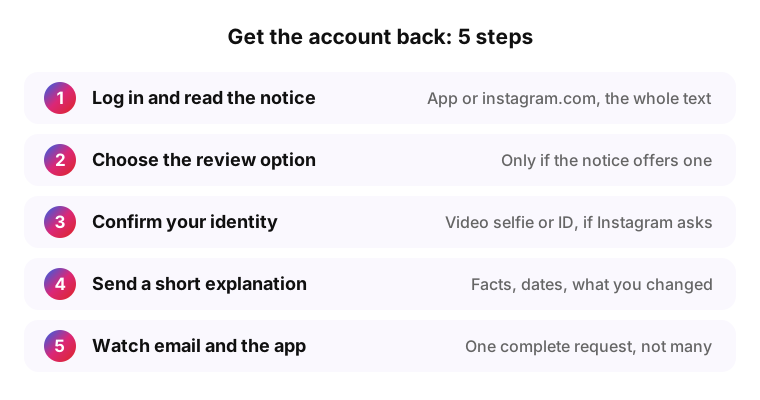
Quick answer: get your Instagram account back in 5 steps
If you're wondering how to get disabled Instagram account back, the Instagram Help Center gives a single path: log in and do what the Instagram account disabled notice tells you. The five steps follow that path in order, and each one works on its own.
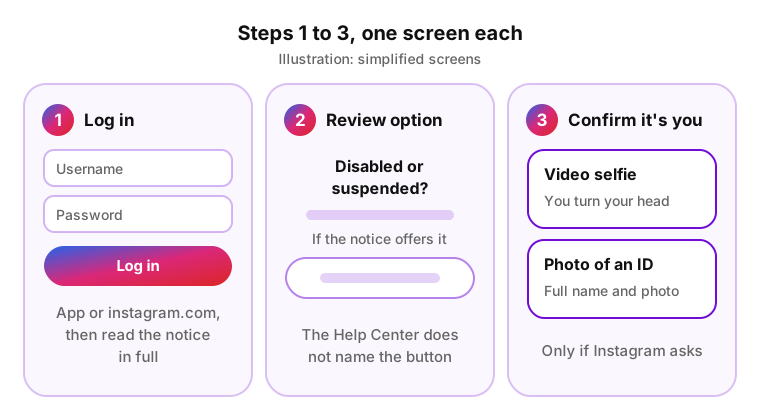
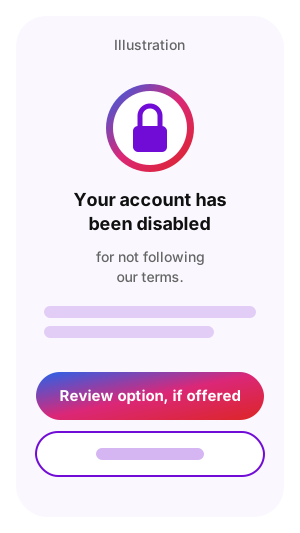
- Log in to Instagram in the app or at instagram.com with your usual username and password, and read the notice in full. It says whether the account is disabled or suspended and, for a suspension, whether you can appeal.
- Choose the option to disagree with the decision or to request a review, if the notice offers one. The Help Center does not name the button; it says to follow the on-screen instructions.
- Confirm that the account is yours if Instagram asks. The Help Center describes a video selfie in which you turn your head and a photo of an ID with your full name and photo.
- Send a short, factual explanation where the screen gives room for it. The template under What to write in your appeal fits in a few lines.
- Watch the email linked to the account and the app, and send one complete request rather than many. Instagram doesn't say how repeated requests are handled.
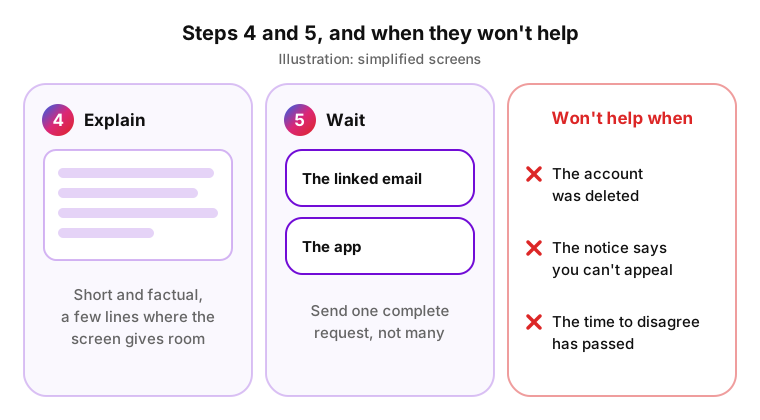
These steps won't help in three cases. The account was deleted: Instagram can't restore a deleted account. The notice says you can't appeal. Or the time to disagree that your notice shows has already passed. Instagram's Help Center does not publish one appeal deadline for every account, so the notice on your screen is the place to check it.
Two situations need a different first step. If you see no notice at all, the account may be hacked or deleted, and the hack recovery steps apply instead. If you forgot the password, reset it from the login screen first: the notice appears when you log in, so you need login details that work.
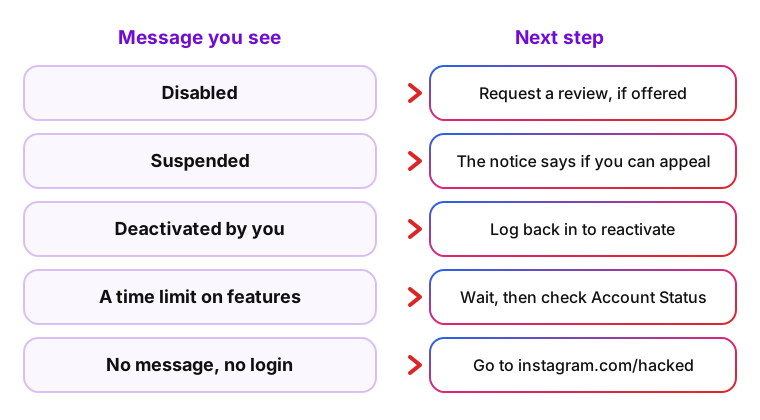
Disabled, suspended or deactivated: what your Instagram message means
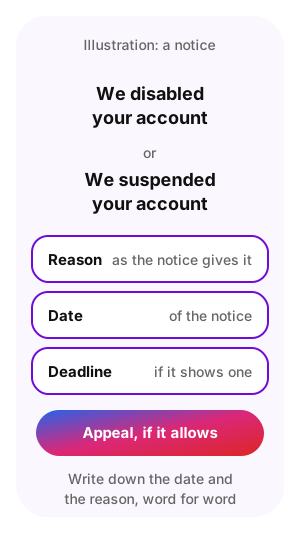
The first line of the notice tells you which path you are on, and each path has its own next step. An Instagram account disabled for not following the Terms of Use can't be logged into or seen by anyone else, according to the Help Center. A suspended account gets a notice by email and in the app or browser, and that notice also says whether you can appeal.
A deactivated profile or a time limit on features is a different situation: a profile you hid yourself, or a few features blocked for a while. The wording on your screen can differ from the table, so match the meaning, not every word.
| Message you see | What it means | Can you appeal? | Next step |
|---|---|---|---|
| "Your account has been disabled" or "We disabled your account" | Instagram decided the account broke its Terms of Use or Community Standards | If the notice offers a review | Log in and follow the on-screen instructions |
| "We suspended your account" | Access is suspended after a rules decision | The notice says whether you can | Appeal from the notice if it allows |
| Your profile is deactivated because you did it | You hid the profile yourself in Accounts Center | Nothing to appeal | Log back in to reactivate it |
| A limit with a time attached, such as 24 hours | Some features are restricted for a while; the account still works | Through Account Status, where it is offered | Wait until the time passes and check Account Status |
| No message, and you can't log in | A login problem, a hacked account or a deleted one | There is no decision to appeal | Go to instagram.com/hacked |
| A notice about your age | Instagram may disable accounts in a certain age range in some regions, in line with local laws | Follow what the notice offers | Follow the on-screen instructions |
"We disabled your account" and "We suspended your account"
Both notices mean that Instagram made a decision about the account under its rules, and both are appealed from the notice after you log in. The difference is what the notice tells you. For a suspension, the Help Center says Instagram informs you by email and when you open the app or the website, and lets you know whether you can appeal.
A search for "we disabled your account Instagram how to recover" can lead to old appeal forms and paid recovery offers. The working path starts in the notice itself, and the Help Center's advice is the same for both cases: after logging in, follow the on-screen instructions to submit the appeal.
If the notice shows a deadline to disagree with the decision, appeal before it. The Help Center does not publish a single deadline that applies to every account, so the date on your own screen is the one that counts.
Before you tap anything, write down the date of the notice and the reason it gives, word for word. The appeal and any later chat with support go faster when you can quote both.
"My Instagram account was deactivated"
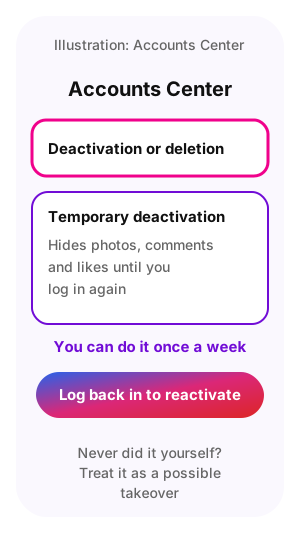
If you deactivated the profile yourself, nothing is blocked: logging back in reactivates it. Temporary deactivation, which you choose in Accounts Center under Deactivation or deletion, hides your photos, comments and likes until you log in again, and Instagram lets you do it once a week (Help Center).
If you did not deactivate anything and still see the word, read the whole notice. A notice about a decision by Instagram follows the disabled or suspended path. A notice that asks you to prove who you are follows the steps under Confirm your identity when Instagram asks.
A limit with a time attached, such as 24 hours, is not deactivation either. The Help Center does not list fixed lengths for such limits, so wait for the time in the message to pass and look in Account Status for the features you can't use.
Deactivating a profile requires being logged in to it (Help Center). If you never did it and the profile shows as deactivated, someone else with your password may have, so treat it as a possible takeover.
No message at all: hacked or deleted account
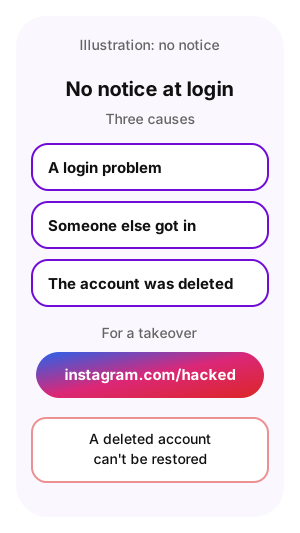
No disabled notice when you log in points to something else. The Help Center names three causes: a login problem, someone else getting into your account, or the account being deleted by you or by someone with your password.
For a takeover, start at instagram.com/hacked: the Help Center points hacked and locked-out accounts there. To check whether a takeover happened at all, compare what you see with the signs that an Instagram account was hacked.
A deleted account can't be restored. You can create a new account with the same email address you used before, but the old username may not be available (Help Center).
Rule out a plain login problem first. The Help Center's login pages cover a forgotten password and a forgotten username, and a login problem has no decision behind it and nothing to appeal.
Why Instagram disables accounts
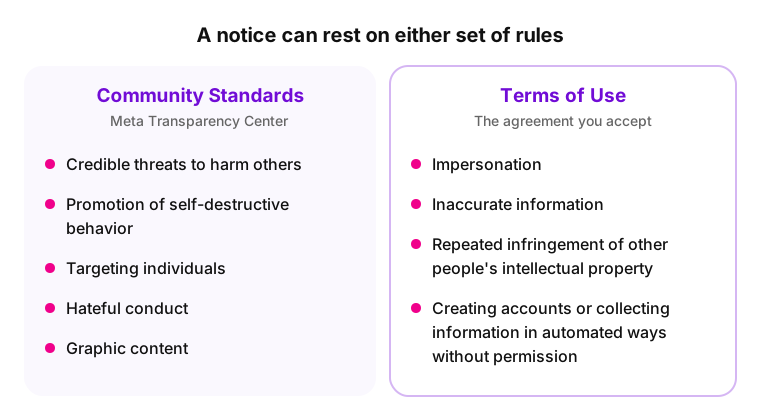
Instagram disables accounts that go against its Community Standards or Terms of Use. Its page on disabled and suspended accounts lists what isn't allowed: credible threats to harm others or the promotion of self-destructive behavior, targeting individuals, hateful conduct, and graphic content. The Terms of Use add impersonation, inaccurate information, repeated infringement of other people's intellectual property, and creating accounts or collecting information in automated ways without permission.
The Community Standards are Meta's rules for what is allowed on its apps, published in the Meta Transparency Center; the Terms of Use are the agreement you accept by using Instagram. A disabled notice can rest on either one.
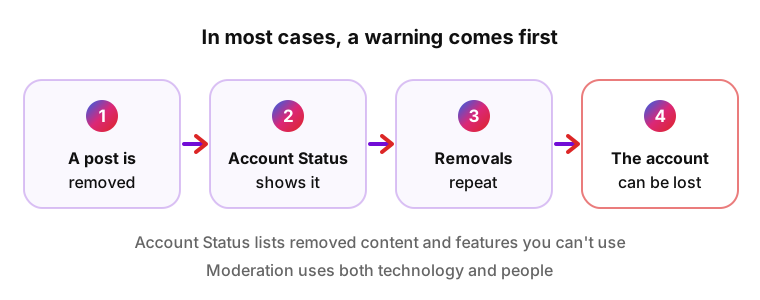
In most cases, Instagram warns before an account loses access, according to the Help Center page on Account Status. Repeated posts that are removed for breaking the rules can lead to losing the account, and Account Status is where removed content and restricted features show up. Content moderation, the review of posts against the rules, uses both technology and people, Instagram says.
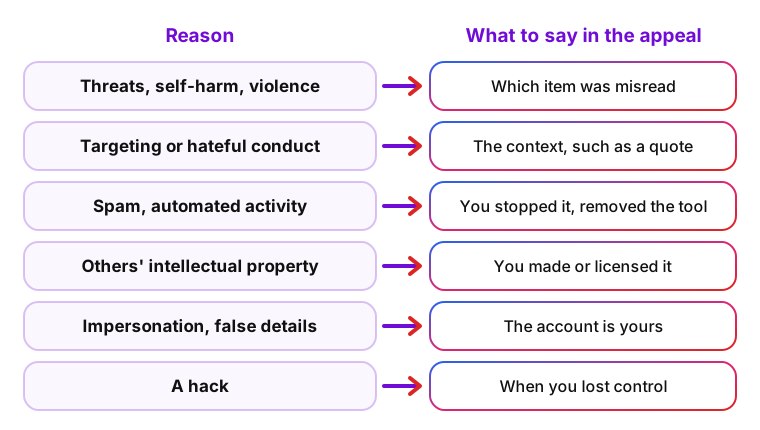
| Reason | How it shows up | What to say in the appeal |
|---|---|---|
| Threats, promotion of self-harm or graphic violence | Posts, Stories or comments removed for these reasons | Which item was misread and what it actually showed |
| Targeting individuals or hateful conduct | Removed comments, messages or posts | The context, for example a quote you were criticizing |
| Spam and automated activity | Posting, following or liking at very high frequencies, for example through a growth tool | That you stopped the activity and removed the tool |
| Other people's intellectual property | Repeated removals after rights holders report your posts | That you made or licensed the content, with proof |
| Impersonation or false information | A profile that copies another person or brand, or fake sign-up details | That the account is yours and represents you |
| A hack | Posts, messages or follows you did not make | When you lost control and which posts were not yours |
Instagram disabled my account for no reason: where to look
A notice may not name the reason; Account Status and your email are where to look for one. Mistakes happen too, and Instagram says so on its review page for removed posts: "We know we don't always get it right when we decide to remove a post." Instagram publishes no figure for how often a review reverses a decision on an account.
A disabled account can't be used at all. If you can still log in and only some features fail, such as posting Stories, look in Account Status for a restriction; the fixes for a Story that won't upload include that check.
Three checks narrow the reason down before you write the appeal.
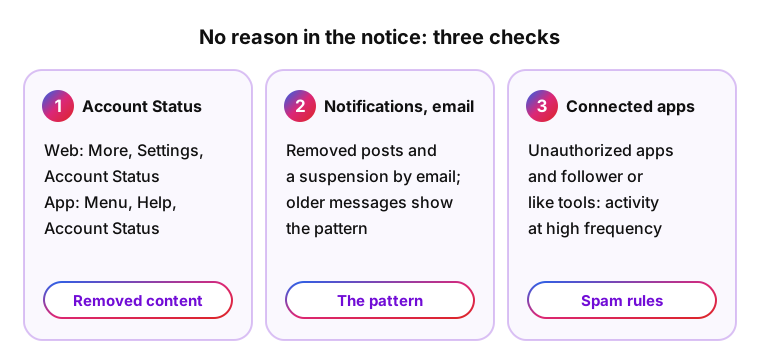
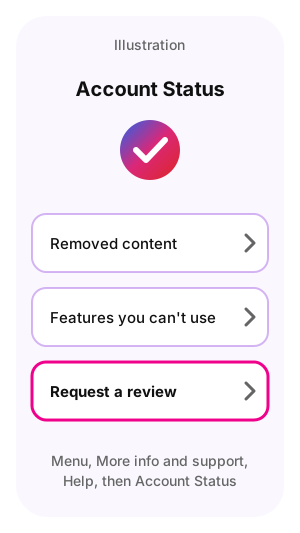
- Account Status. On the website it sits under More, Settings, Account Status; in the app, tap Menu, then Help under More info and support, then Account Status. If you can still open it, it lists removed content and features you can't use (Help Center).
- Your notifications and email. Instagram notifies you about removed posts and reports a suspension by email; older messages can show the pattern that led to the decision.
- Connected apps. The Help Center names an account synced with an unauthorized third-party app as a risk, and Meta's spam rules cover engaging with content at very high frequencies, manually or automatically. A follower or like tool can do both.
Instagram disabled account appeal: how to request a review
An Instagram disabled account appeal is filed from the notice you see after logging in, following the on-screen instructions. That is the route the Help Center gives for disabled and for suspended accounts, and its articles on both cases don't link a separate form.
The review has three parts that you control: reaching the review option, confirming your identity if Instagram asks, and the short text you send.
Request a review in the Instagram app
The notice appears in the app and in a web browser, so if the app keeps closing or logging you out, try instagram.com on a computer or phone browser. Update the app before you start.
Instagram doesn't publish the exact screens for disabled accounts, and they can change. The order of these steps matches what the Help Center describes for suspended accounts: log in, then follow the on-screen instructions.
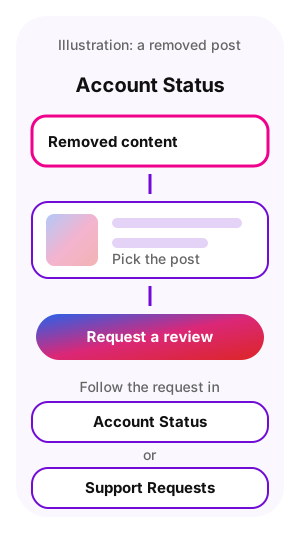
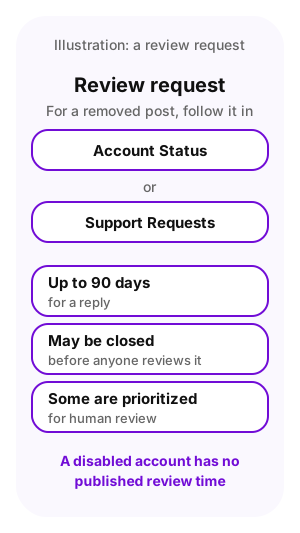
For a single removed post rather than the whole account, the route is different: open Account Status from your profile (Menu, then Help under More info and support, then Account Status), tap Removed content, pick the post and tap Request a review. You can follow that request in Account Status or under Support Requests (Help Center).
- Open Instagram and log in with the username and password of the account.
- Read the full notice, including the reason and any deadline it shows.
- Choose the option to disagree or request a review, if the notice offers one.
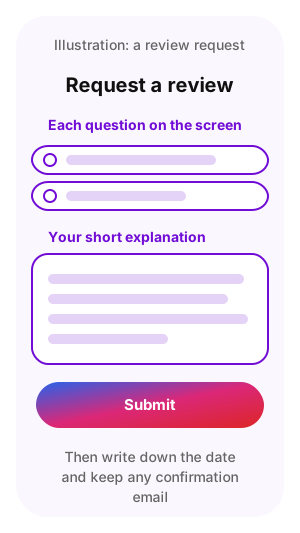
- Answer each question on the screen and add your short explanation where there is room for it.
- Submit the request, then write down the date and keep any confirmation email.
Confirm your identity when Instagram asks
Instagram sometimes asks for proof that the account is yours and that you are a real person. The Help Center describes these checks, and if you choose not to complete one, you may not be able to log back in.
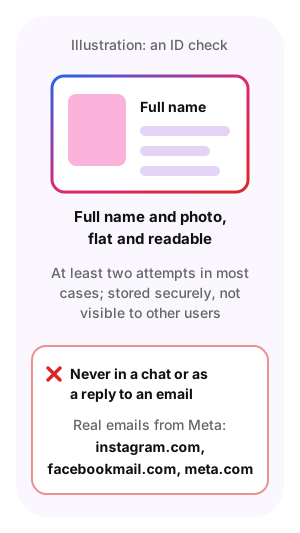
If a check fails, the Help Center says you may get another attempt: a new selfie in the app, or at least two attempts for an ID in most cases. Record the selfie in good light with your whole face in the frame, and photograph the ID flat so the name and photo are readable.
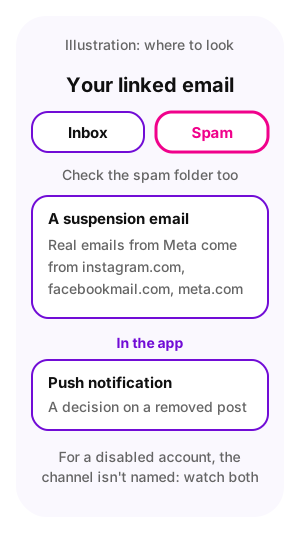
Never send a code, a password or a photo of your ID in a chat or as a reply to an email that asks for it. Meta says chats with its support assistant can only be started by you and warns about emails and messages that pretend to be Meta. Phishing, a fake message made to steal a login, can ask for exactly these things. Real emails from Meta come from domains such as instagram.com, facebookmail.com and meta.com.
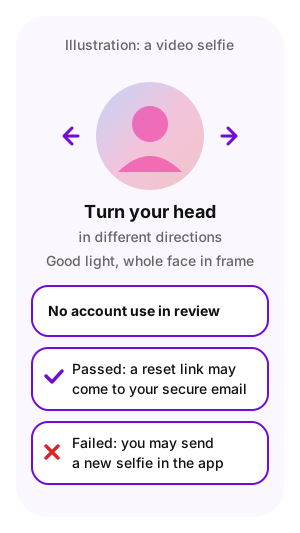
- A video selfie. You turn your head in different directions, because photos and IDs can be edited digitally. You can't use the account while Instagram reviews it. If you pass, Instagram may email a link to reset your password to your secure email; if not, you may be able to send a new selfie in the app (Help Center).
- A photo of your ID. Instagram accepts an ID with your full name and photo (Help Center) and in most cases gives you at least two attempts; you may temporarily lose access during the review (Help Center). The ID is stored securely and not visible to other users (Help Center).
- A code or link sent to your email or phone. It belongs to the login and recovery screens. Enter a code only in the Instagram app or on instagram.com.
What to write in your appeal
Keep the appeal short and factual: who you are, which account, what you think happened, why it was a mistake and what supports that. A reviewer can check dates, usernames and steps you took; anger, threats of legal action and capital letters give them nothing to check.
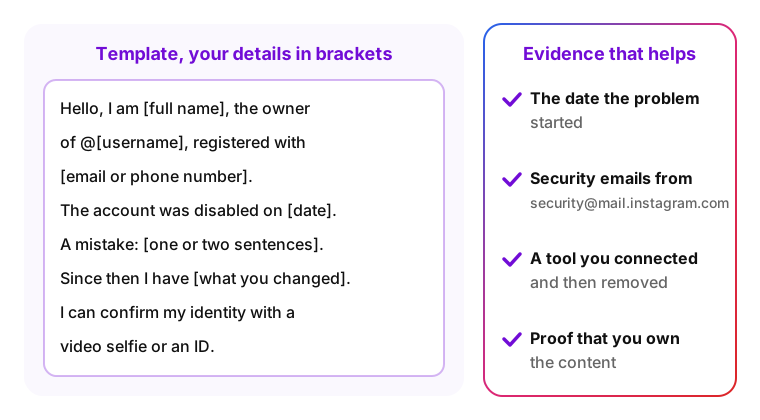
Evidence that helps the reviewer: the date the problem started, the security emails Instagram sent (they come from [email protected] when your email or password changes), the name of a tool you connected and then removed, and proof that you own content Instagram treated as someone else's.
If the screen offers only choices and no text field, answer the choices honestly and keep your notes for a later request. A template to adapt where there is room, with your details in the brackets:
Hello, I am [full name], the owner of the Instagram account @[username], registered with [email or phone number]. The account was disabled on [date]. I believe this is a mistake: [one or two sentences, for example "the account was hacked on [date] and the posts made after that were not mine"]. Since then I have [changed the password, turned on two-factor authentication, removed a third-party app]. I can confirm my identity with a video selfie or an ID. Thank you for reviewing the decision.
A version for a post the reviewer may have misread:
Hello, I am [full name], the owner of @[username]. My account was disabled on [date], and I believe the decision rests on [the post or comment and its date]. That post [the context in one sentence, for example "quoted an insult in order to criticize it"]. I have read the Community Standards and [removed or edited the post, if you did]. Thank you for taking another look.
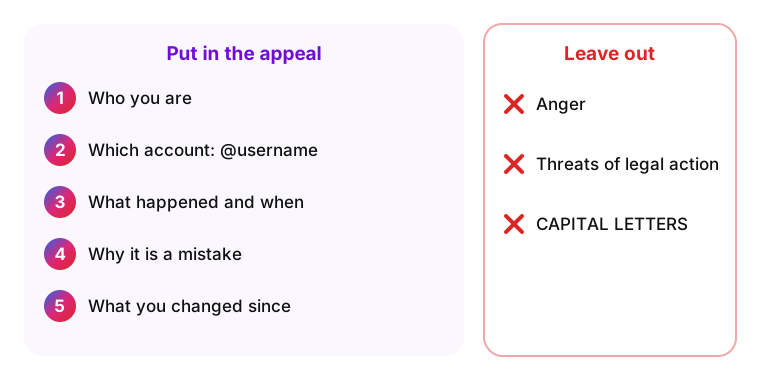
- Write the username exactly, letter for letter, so the reviewer finds the right account.
- Use the email or phone number linked to the account, since Instagram sends its answer there.
- Name one concrete reason, such as a hack, a misread post or a tool you have removed, instead of a list of guesses.
- Say what you checked. If Account Status and your email show no warning, write that you found none; it tells the reviewer where you already looked.
- Keep a copy of the text and the date you sent it.
Instagram appeal form for disabled account: where it went
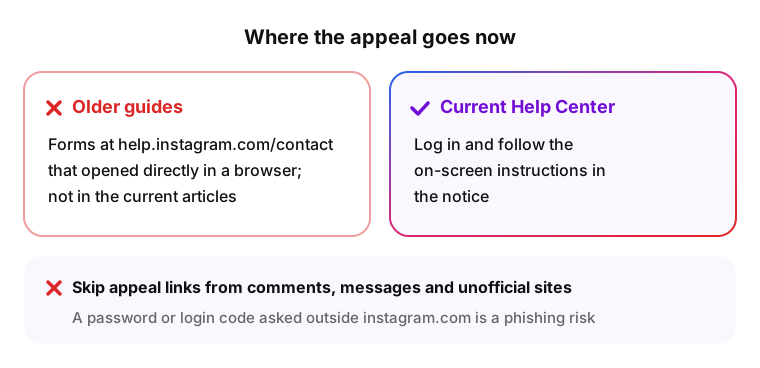
Older guides link to forms on help.instagram.com/contact that opened directly in a browser. The current Help Center articles on disabled and suspended accounts don't point to such a form; they say to log in and follow the on-screen instructions. Instagram does not document whether an old form still opens for some accounts.
Some Help Center pages are written for one country, for example a page about appealing a disabled account in Colombia; outside that country it shows only a note that the content isn't relevant in your location.
Skip "appeal links" from comments, messages and unofficial sites. A page that asks for your password or a login code outside instagram.com is a phishing risk, and no form outside Instagram can review Meta's decision.
The Help Center page on disabled accounts also offers the Meta AI support assistant under Other ways to get help; its limits are under Ask the Meta AI support assistant.
How long Instagram takes to review an appeal
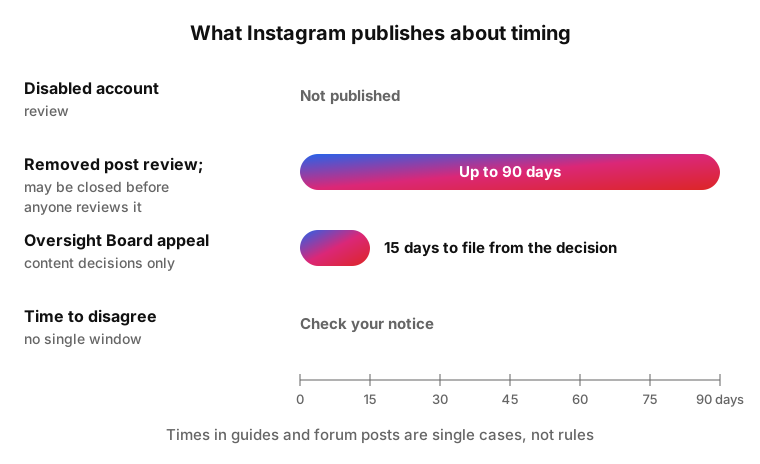
Instagram does not publish a review time for disabled accounts. Its Help Center gives a figure only for removed posts: some appeals are prioritized for human review, so a reply can take up to 90 days, and a request may be closed before anyone reviews it (Help Center).
Times quoted in guides and forum posts, like the Reddit comment below, are individual cases, not Instagram rules. Plan for an open-ended wait and check your email and the app instead of counting days.
While you wait, check the spam folder of the email linked to the account as well as the notifications in the app. Instagram reports a suspension by email and announces a decision on a removed post with a push notification; for disabled accounts, the Help Center doesn't say which channel the answer uses, so watch both.
The time to appeal is a separate question. If your notice shows how many days you have left to disagree, that number is the one that counts; the Help Center doesn't publish one window for every account. The Oversight Board, the body that reviews some of Meta's content decisions, is not a route for a whole account: it takes appeals about content only, after Instagram has reviewed that content twice, within 15 days of the decision, and it picks only some appeals.
| Item | What Instagram says |
|---|---|
| Review time for a disabled account | Not published |
| Review time for a removed post | Up to 90 days; a request may be closed before review |
| Time to disagree with a decision | No single window published; check your notice |
| Appeal to the Oversight Board | 15 days from the decision, for content decisions only |
Took me around 4 hours to get an appeal back. However, I got rejected.
What not to do while you wait
With an Instagram account disabled, a few common reactions make the wait worse: they add risk to the account or give the reviewer nothing new.
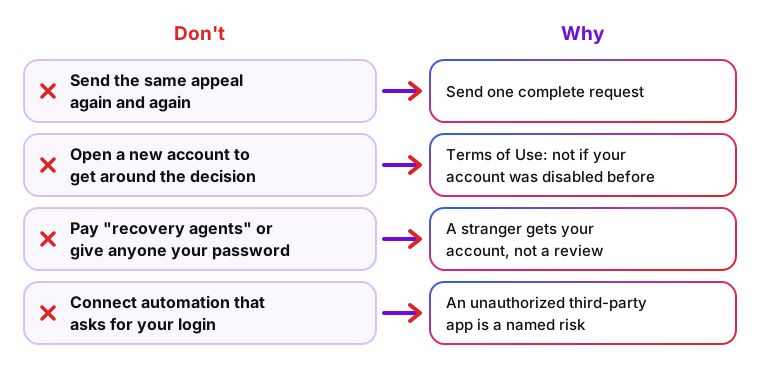
- Don't send the same appeal again and again. Instagram doesn't say how repeated requests are handled, so send one complete request. The Terms of Use forbid misusing the appeals channel with fraudulent or groundless appeals.
- Don't open a new account to get around the decision. Among the conditions for using Instagram, the Terms of Use state: "We must not have previously disabled your account for violation of law or any of our policies."
- Don't pay "recovery agents" or give anyone your password. Meta warns about emails and chats that pretend to be Meta, and its support chats can only be started by you. A stranger with your password gets your account, not a review.
- Don't connect automation services that ask for your login. The Help Center names an account synced with an unauthorized third-party app as a risk, and Meta's spam rules cover automated activity at very high frequencies.
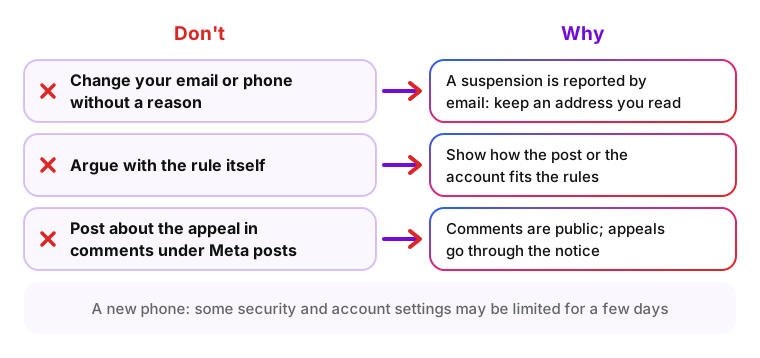
- Don't change your email or phone number without a reason. Instagram reports a suspension by email, so keep an address you can read. If you must log in from a new phone, expect some security and account settings to be limited for a few days (Help Center).
- Don't argue with the rule itself. An appeal that calls a rule unfair gives the reviewer no fact to check; one that shows how the post or the account fits the rules does.
- Don't post about the appeal in comments under Instagram or Meta posts. Comments are public, and the Help Center routes appeals through the notice, not through comments.
If the appeal is rejected or the appeal button is missing
There is no guaranteed workaround once the standard path fails. What remains are Meta's own support channels, and each has limits worth knowing before you spend time or money on it.
Reread the final answer first. If it names a reason, a new request through any channel has to address that reason. Instagram doesn't say how repeated requests are handled; send one complete request.
Ask the Meta AI support assistant
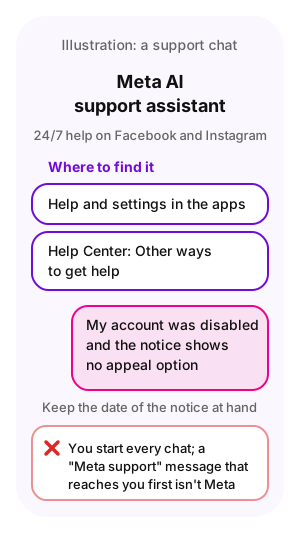
Meta describes the Meta AI support assistant as 24/7 help on Facebook and Instagram that explains what is happening to an account, what you can do next, and can take action for you. Meta's Account Recovery Hub gives submitting appeals as one example of that action.
The assistant sits in the apps, under Help and settings, and in the Help Centers: Instagram Help Center articles show a Chat with Meta AI support assistant link under Other ways to get help. The same pages ask you to log in for personalized support, and Meta has not said whether the assistant can act for an account you can't log into.
Describe the problem in one or two plain sentences, for example "my account was disabled and the notice shows no appeal option", and keep the date of the notice at hand.
Every chat with the assistant starts on your side. A "Meta support" message that reaches you first is not from Meta.
Get support through Meta Verified
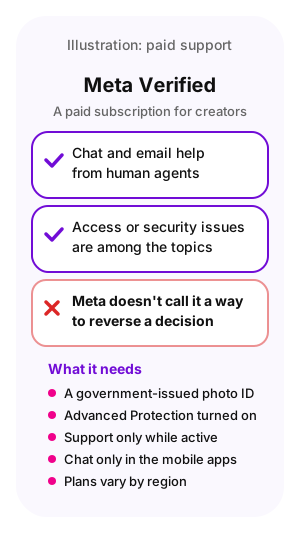
Meta Verified for creators is a paid subscription with enhanced support: chat and email help from human agents, with prioritized support on higher plans. Its support page lists general access or security issues among the topics it covers (Help Center).
Meta does not describe it as a way to reverse a decision on an account. The profile you subscribe with has to follow the Instagram Terms of Use and Community Standards, enhanced support works only while the subscription is active, chat support runs only in the mobile apps, and plans and availability vary by region (Help Center). Check whether it is offered in your country before you pay.
The subscription also needs a government-issued photo ID and Advanced Protection, a security setting that can't be turned off while the subscription is active (Help Center).
One subscriber described the support chat this way:
I just got Meta Verified on Facebook to chat with support as I heard that was a good method. They didn't really have anything to say tho, just that my initial appeal was still under review and they can't really do anything at the moment.
When Instagram's decision is final
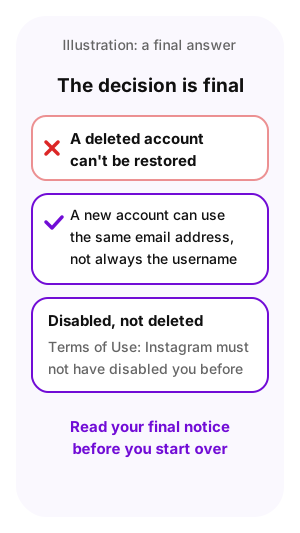
If the answer says the decision is final, or the account has been deleted, it can't be restored. The Help Center says a deleted account can't be restored and that you can create a new account with the same email address, though not necessarily with the same username.
A disabled account is a different case from a deleted one: the Terms of Use say Instagram must not have previously disabled your account for violation of law or its policies. Read your final notice before you start over.
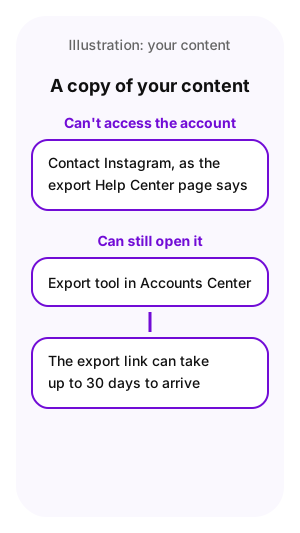
Your own content may still be within reach. The Help Center page on exporting your information says that if you can't access your account and still want a copy of your information, you can contact Instagram (Help Center). For an account you can still open, the export tool in Accounts Center does the job, and the export link can take up to 30 days to arrive.
Instagram disabled account recovery after a hack
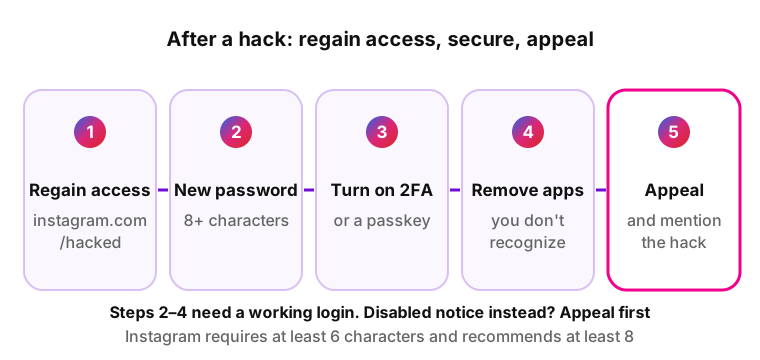
A hacked account may be disabled when the attacker posts content that breaks the rules. The steps below start with getting access back, because steps 2 to 4 (password, two-factor authentication, third-party apps) need a working login. If instagram.com/hacked leads you to a disabled notice instead, appeal from that notice first, say that the account was hacked, and do steps 2 to 4 once the account is restored.
- Go to instagram.com/hacked on the phone or computer you usually use and follow the steps for your case.
- Change the password once you are back in. Instagram requires at least six characters and recommends at least eight, and a new password logs you out of every other device.
- Turn on two-factor authentication, a second code on top of the password, or set up a passkey.
- Remove third-party apps and linked accounts you don't recognize.
- Appeal through the notice and say that the account was hacked, when it happened and which posts were not yours.
Meta's Account Recovery and Support Hub collects recovery guides for Instagram, Threads, Facebook and Messenger in one place, including what to do if you lost access to the email or phone number on the account.
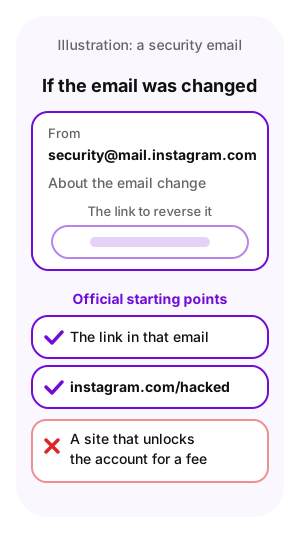
If the attacker changed the email address, look for an email from [email protected] about that change: it contains a link to reverse it. That link and instagram.com/hacked are the official starting points; a site that promises to unlock the account for a fee is not one of them.
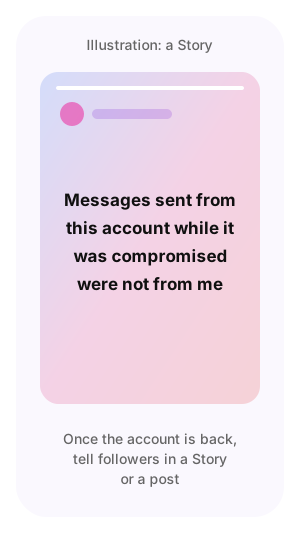
Once the account is back, tell followers in a Story or a post that messages sent from it while it was compromised were not from you.
How to keep your Instagram account from being disabled again
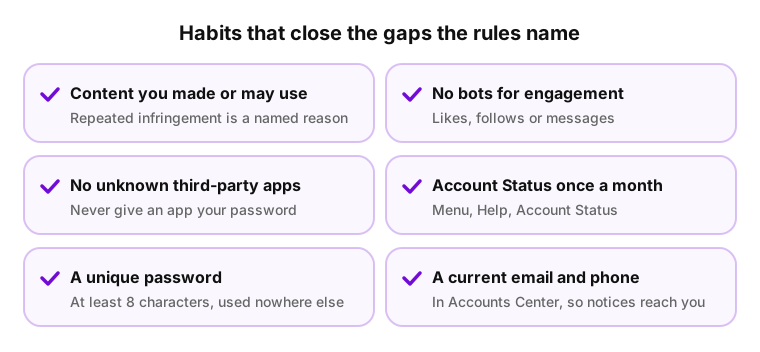
No setting guarantees that an account stays active. These habits close the gaps that the Help Center, Meta's spam rules and the Terms of Use name.
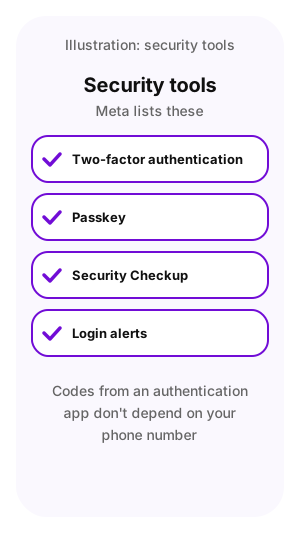
- Two-factor authentication or a passkey. Meta lists both among its security tools, together with Security Checkup and login alerts. Codes from an authentication app don't depend on your phone number.
- Content you made or may use. The Terms of Use name repeated infringement of other people's intellectual property as a reason to disable an account, so post what you made or have permission to use.
- A unique password of at least eight characters that you use nowhere else; a data breach at another site is one of the risks the Help Center names.
- No unknown third-party apps. Remove apps you don't recognize, as the Help Center advises, and never give an app your Instagram password.
- Account Status once a month. In the app, tap Menu, then Help under More info and support, then Account Status. Removed content and limited features show up there, and in most cases Instagram warns before an account loses access.
- No bots for likes, follows or messages. Meta's spam rules cover buying engagement and acting at very high frequencies, manually or automatically.
- A current email and phone number in Accounts Center, so notices and recovery links reach you.
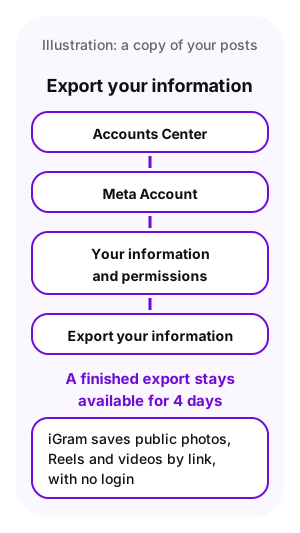
- A copy of your own photos and videos. Export your information in Accounts Center (Meta Account, then Your information and permissions, then Export your information); a finished export stays available for 4 days. For a single public video, see how to download video from Instagram.
Instagram account appeal FAQ
-
No. A disabled account still exists, but you can't log in and nobody else can see it. A deleted account can't be restored, the Help Center says. If you see no disabled notice at all, the account may have been deleted or hacked, or you may have a login problem. For a disabled account, the appeal starts from the notice at login.
-
Not always. An Instagram account disabled with a review option is still waiting for a possible second look: while the notice offers a review and any deadline it shows hasn't passed, Instagram can look at the decision again. It becomes final when Instagram says so in its answer, when the notice offers no appeal, or when the account is deleted.
-
Update the app and try instagram.com in a browser, since the notice appears in both. Then try the Meta AI support assistant from the Help Center, and check Account Status if you can still open it. If no screen offers a review, the text of the notice is the answer on whether this decision can be appealed.
-
The Terms of Use set a condition for using Instagram: Instagram must not have previously disabled your account for violation of law or its policies. The Help Center mentions a new account with the same email for deleted accounts, not for disabled ones. Appeal the disabled one first and read the final answer before you decide anything else.
-
No. Only Meta can review its decision, and Meta's support chats are started by you, not by someone who writes to you first. A service that asks for your password or a login code gets access to your account, not a review, and could use it to lock you out again.
-
The Help Center doesn't describe what a restored account looks like. While the account is disabled, it is hidden from everyone. Posts removed for breaking the rules are separate decisions listed in Account Status, and each one has its own review request.
-
The Help Center pages on disabled Instagram accounts don't say that a decision on Instagram also applies to a Facebook profile in the same Accounts Center. Log in to Facebook separately to see whether it shows a notice of its own.
-
Instagram doesn't publish a rule about tools that open public links without a login. A downloader that never asks for your login does nothing through your account. The risk is an app that takes your password: the Help Center names accounts synced with unauthorized third-party apps as at risk. iGram needs no login and opens public posts by link.
Sources
- Instagram Help Center: about disabled Instagram accounts
- Instagram Help Center: disabled and suspended accounts
- Instagram Help Center: check your Account Status
- Instagram Help Center: request a review of removed content
- Instagram Help Center: appeal a content decision to the Oversight Board
- Instagram Help Center: why your account is at risk
- Instagram Help Center: about Meta Verified for creators
- Instagram Terms of Use
- Meta Transparency Center: spam policy
- Meta: Account Recovery and Support Hub
- Meta: Meta AI support assistant