Instagram DP Downloader

Instagram profile picture downloader: paste a username or profile link, press Download, tap the zoom button, then Download in its window
For an Instagram DP download, paste a username or profile link above and press Download. iGram shows the profile header with the round picture: tap the zoom button on the profile picture and press Download again in the window that opens. Instagram itself shows that picture as a 150×150 circle. The iGram profile picture downloader opens the file behind it, usually a 1080×1080 JPG, and you don't need an Instagram account to get it.

Paste
A username, @username or the profile link instagram.com/username
You see
The profile header with the round picture. Its zoom button opens the picture in full size
You save
A JPG, usually 1080×1080 pixels, without a watermark
Price
Free
Access
Public accounts only, no Instagram login

How to download an Instagram profile picture

Type the username, press Download, open the picture with its zoom button and press Download again in the window. The steps are the same in any browser, on a phone or a computer.

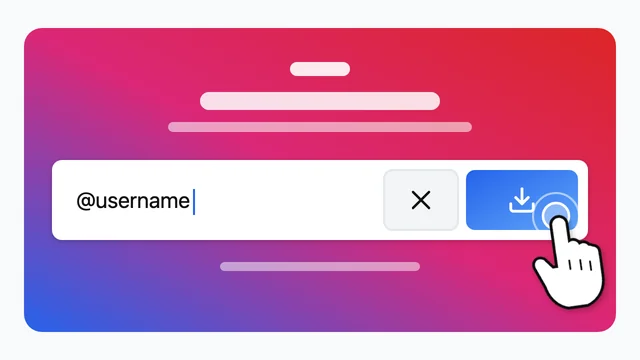
  1. Username typed into the iGram field next to the Download button

    Enter the username and press Download

    Type the username, with or without the @, or paste the profile link instagram.com/username into the field at the top of this page, then press Download. To copy the link in the Instagram app, tap the three dots at the top of the profile and choose Copy profile URL.

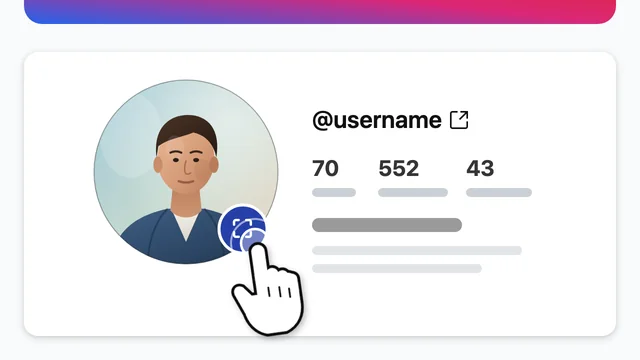
  2. Instagram profile header in iGram with the zoom button on the round profile picture

    Tap the zoom button on the profile picture

    Under the field, iGram shows the profile header: the round picture, the username, the number of posts, followers and following, and the name. Tap the round zoom button in the corner of the picture.

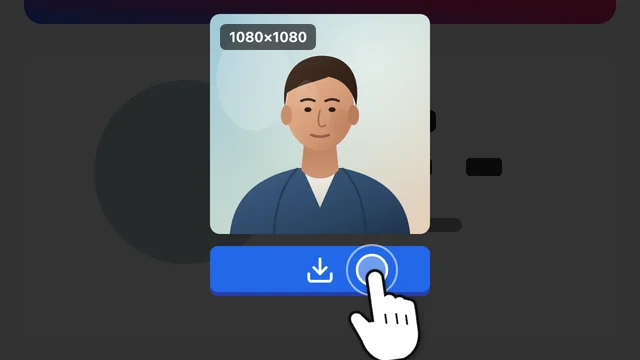
  3. Instagram profile picture opened in full size in a window with a Download button

    Press Download in the window

    The picture opens in full size in a window over the page, usually 1080×1080 pixels. Press Download in that window to save the JPG.

Paste a username

Instagram profile picture size: what you get

Instagram shows a profile picture as a 150×150 pixel circle on the profile, in comments and in search. The file behind it is square and usually 1080×1080 pixels. iGram gives you that file, not the circle.

Instagram profile picture size on Instagram and in the iGram download
On Instagram Downloaded with iGram
Size 150×150 pixels Usually 1080×1080 pixels, the largest size stored
Shape Cropped to a circle The full square image
Format Shown in the app, no file JPG
Watermark None None, iGram adds nothing
Price Free Free, no sign-up

Some accounts only have a 400×400 pixel original, often a picture uploaded years ago. Then iGram gives you 400×400. No larger file exists, and a bigger one could only be made by stretching the image.

To see which size you got, open the saved file's details in your gallery or file manager.

View an Instagram profile picture in full size

Instagram has no way to open a profile picture larger than the circle. iGram works as an Instagram profile picture viewer: after the search, tap the zoom button on the picture and it opens in full size on this page, no download needed.

As an insta DP viewer, it helps when the circle is too small to tell who is in it, for example when you want to check that an account belongs to the person or brand you are looking for. This page shows only the profile header, without the posts. Stories, highlights and photos from the same account open with the tools linked at the end of the page.

See a profile picture in full size

What the profile picture downloader can't do

iGram sees an account the way a visitor without an Instagram login does, so it opens only what that visitor could open.

Profile picture downloader or screenshot

A screenshot captures the 150×150 circle at whatever size your screen draws it. The downloader saves the original square file.

Saving an Instagram profile picture with iGram compared with taking a screenshot
iGram downloader Screenshot
Size Usually 1080×1080 pixels The size of the circle on your screen
Shape The whole square picture A circle with the corners cut off
Extra content Only the picture Interface around it, to crop out by hand
Instagram login Not needed Needed to open the profile in the app

For a quick look, a screenshot does the job. To keep the picture itself, without the corners cut off or the app around it, download the file.

Where the profile picture goes on your device

The JPG lands wherever your browser saves downloads. On a phone, one more step gets it into your photos.

Step-by-step instructions for each device.

Download a profile picture

Is it safe to use an Instagram profile picture downloader?

iGram never asks for your Instagram password and doesn't store the usernames you search or the pictures you save. The account owner gets no notification. Details are in the privacy policy.

A profile picture belongs to the person who posted it. Keep it for personal use, and ask the owner before you post it anywhere or use it commercially. iGram is not affiliated with Instagram or Meta Platforms.

Instagram profile picture downloader FAQ

Download an Instagram profile picture now