Imginn (imginn.com) is a free website that shows public profiles, posts, Reels and Stories from Instagram, the photo and video app owned by Meta, without an Instagram account, and offers to download them. Private accounts stay closed: its search box says "Public accounts only". This imginn review is not the service itself: it covers what the site opens, where it stops and what pays for it.
If all you need is the Stories and Highlights of a public account, iGram has an anonymous Story viewer that takes a username or a profile link.
What Imginn is and which address is the real one
The homepage presents the site as an anonymous Story viewer and downloader and promises "No account required, privacy protected". Those are its own words; what they cover is checked in the sections below.
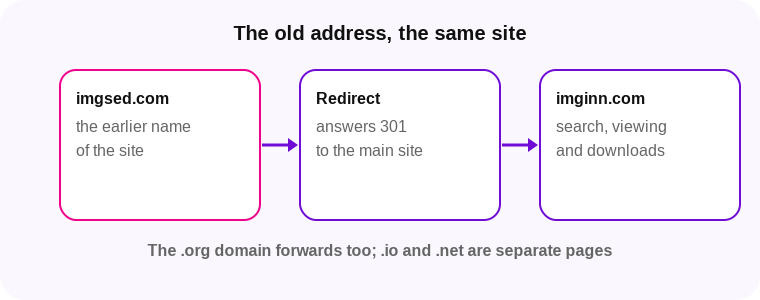
The site lives at imginn.com. A second address, imgsed.com, forwards visitors there, and AlternativeTo notes that Imginn was named for some time as Imgsed, so both names end on the same pages.
The .org domain with the name forwards to imginn.com as well. Other domains with the Imginn name are separate pages: one of them leads to a parked page that offers the domain for sale. Which addresses to rely on is covered in which Imginn domains to trust.
Illustration: where the old Imgsed address leads.
Pages on imginn.com named after other tools
The site hosts tool pages under other names, and one of them is titled "iGram - Instagram Photo Downloader". iGram, the service at igram.world, is separate and is not connected to Imginn or to that page.
What you can open on Imginn without an Instagram account
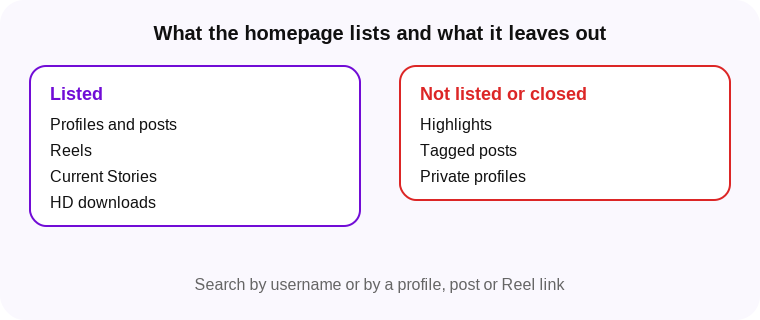
Viewing and downloading are the two jobs of this Instagram viewer, and the homepage lists both: anonymous browsing of profiles, posts, Reels and Stories, a quick search by username and HD downloads.
Illustration: what the homepage lists and what it leaves out.
Profiles, posts and captions
A public username leads to the profile page. The homepage lists profiles and posts among what the Imginn Instagram viewer opens without signing in, next to Reels and Stories.
What Imginn shows on a public profile
Content
On Imginn
Source
Profile and posts
Listed for anonymous browsing
Homepage feature list
Reels
Shown and offered for download
Homepage feature list
Current Stories
Shown and offered for download
Homepage feature list
Photos and videos
Downloads described as high-resolution
Homepage description
Search
By username, or by a profile, post or Reel link
Search box hint
Stories and Reels
Stories of a public account have their own address on the site, /stories/ followed by the username, according to the Social Switch add-on for Firefox, which maps Instagram addresses to Imginn ones. The same add-on sends single posts and Reels to /p/ and /reel/ with the code from the Instagram link. These are the add-on's patterns: pages past the homepage sit behind a Cloudflare check, so this review did not open them.
As an Imginn story viewer it shows current Stories. A Story disappears after 24 hours unless its author keeps it in Highlights, and Highlights are not named in the homepage feature list.
Downloads
The homepage promises downloads of high-resolution photos and videos and names Reels and Stories among the things you can save. Saving many files in a row has a cost, covered under the limits below.
What is missing: Highlights, tagged posts and private profiles
The homepage feature list names profiles, posts, Reels and Stories, but not Highlights or tagged posts. Profile pages open behind a human check that did not clear on its own, so this review does not confirm either of them.
Private profiles are out by design. The search box puts it in one line: "Public accounts only. Private content cannot be viewed."
How to look up a profile on Imginn
Imginn searches by username or by link, and its profile pages sit behind a human check that its homepage does not have.
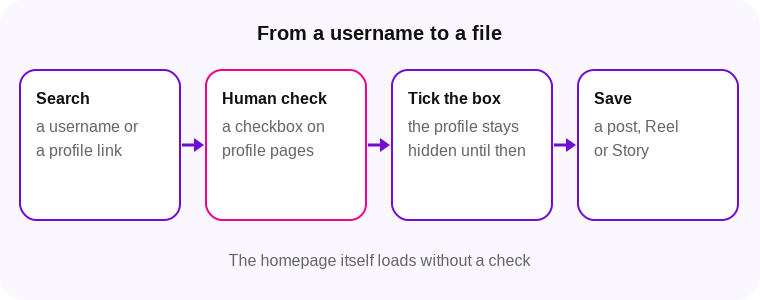
Four steps from a username to a file
Illustration: a search, with the human check on the way.
Type a public username into the search box on the homepage; the hint gives @instagram as an example.
Or paste a link to an Instagram profile, post or Reel: the same box takes all three.
If the profile page shows a Cloudflare check, tick the box: the profile stays hidden until a person does.
Save a post, Reel or Story with the download option the site offers for it.
The human check on profile pages
The homepage loads without any check. A profile page, such as the one of the instagram account, opens on a Cloudflare security page with a human-verification checkbox, and the profile stays hidden until a person ticks it. In a desktop browser the check did not clear on its own within 25 seconds.
Links and the Firefox add-on
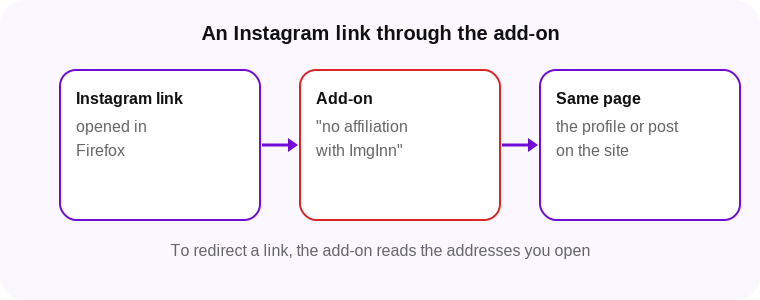
A Firefox add-on named Imginn sends Instagram links to imginn.com, so a profile or post opens there instead of on Instagram. It is not made by the site: its page says "This Add-on has no affiliation with ImgInn". To redirect links, an add-on has to read the addresses you open, so install it only if you accept that. A reviewer on the add-on page gives a reason to use it:
As someone who doesn't have a Instagram account. The create account pop-up would block my ability to scroll. This fixed this issue for me.
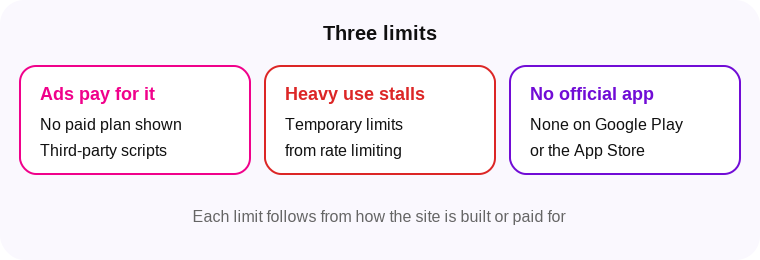
Three limits follow from how the site works and how it pays for itself.
Illustration: three limits of the site.
Ads and third-party scripts pay for it
The FAQ calls Imginn "a free, web-based Instagram viewer and downloader tool", the homepage shows no paid plan, and it loads third-party scripts, among them a request to live.demand.supply. That is the usual setup of a site that pays for itself with ads. Which third-party scripts the homepage loads, and what they mean for your data, is covered in is Imginn safe. A forum user who browsed it behind an ad blocker saw the ads once the blocker was off:
I just checked, and realized why I had not seen any ads there before: brave shields/Ublock Origin blocks them all. Refresh with shields down was quite a contrast.
The FAQ of the site warns that "excessive downloading may lead to temporary restrictions due to Instagram's rate limiting policies". Rate limiting means Instagram caps how many requests one source can send in a short time. A site that fetches profiles for many visitors at once is likely to reach that cap sooner than one person would, and then pictures stop loading for a while. The steps are in the guide on what to do when Imginn stops loading.
No official app
No official app under the name could be found on Google Play or the App Store, and the homepage links to no app. The one add-on with the name is the unofficial Firefox one above, so an imginn app in a store has no established tie to the site.
Anonymity, privacy and safety in short
Imginn needs no login and calls itself "100% anonymous". That claim is about the viewer list of the Story author, not about what the site itself receives; the difference and its 2018 privacy policy are covered in what the anonymity claim covers.
Imginn private account viewing is not on offer: the site says private profiles remain inaccessible. Why no viewer can open them is explained in how anonymous Story viewing works.
When Imginn is worth opening and when it is not
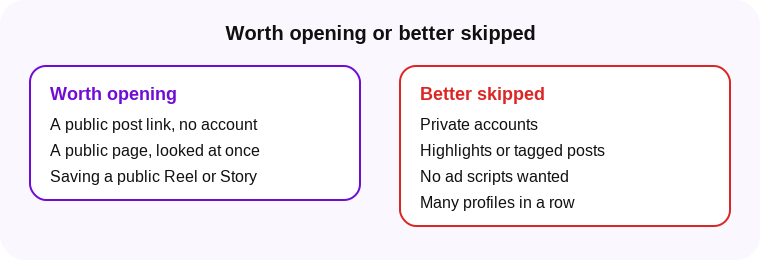
The choice comes down to what you need to see and what you accept on the way.
Illustration: when the site fits and when it does not.
Worth opening
You got a link to a public post or Reel and have no Instagram account: the search box takes links, not only usernames.
You want to look at the public page of a shop or an event once, without signing in anywhere.
You need to save a public post, Reel or Story that you are allowed to keep.
Better skipped
The account is private: the site shows public accounts only.
You need Highlights or tagged posts, which the homepage does not list.
You do not want ad and analytics scripts on the page you read.
You need many profiles in a row: heavy downloading can bring temporary restrictions.
The verdict of this Imginn review
Imginn is a free way to open one public post, Reel or current Story without an account, paid for by ads and gated by a human check on its profile pages. For a private account, for Highlights or for daily checks of many profiles, it is the wrong tool; other viewers are in Imginn alternatives compared.
Imginn FAQ
Imgsed is an earlier name of the same site. AlternativeTo says Imginn was named for some time as Imgsed, and imgsed.com now forwards visitors to the main address. Typing either one ends on the same homepage with the same search box.
No official one could be found on Google Play or the App Store, and the site links to none. A Firefox add-on with the name exists, but its page says it has no affiliation with ImgInn; all it does is send Instagram links to the site.
Neither is named in the homepage feature list, which covers profiles, posts, Reels and Stories. Profile pages open behind a Cloudflare check, so what they show beyond that list is not confirmed here. Current Stories are the part the site does list.
No. The search box says "Public accounts only. Private content cannot be viewed." Instagram shows the posts and Stories of a private profile only to followers the owner approved, so a site that gets nothing but a username has no way in.
Yes, from public accounts. The homepage lists viewing and downloading of Reels and Stories and describes the files as high-resolution. The FAQ warns that heavy downloading may bring temporary restrictions.
The search box takes one: its hint asks for a username or an Instagram profile, post or Reel link. Where the link leads next was not checked here, since pages past the homepage sit behind a Cloudflare check. The Social Switch add-on sends such links to /p/ and /reel/ addresses on the site, but that is its own pattern, not a promise of the site.